Built-in apps
HTTP
Basic Auth authentication type
3 min
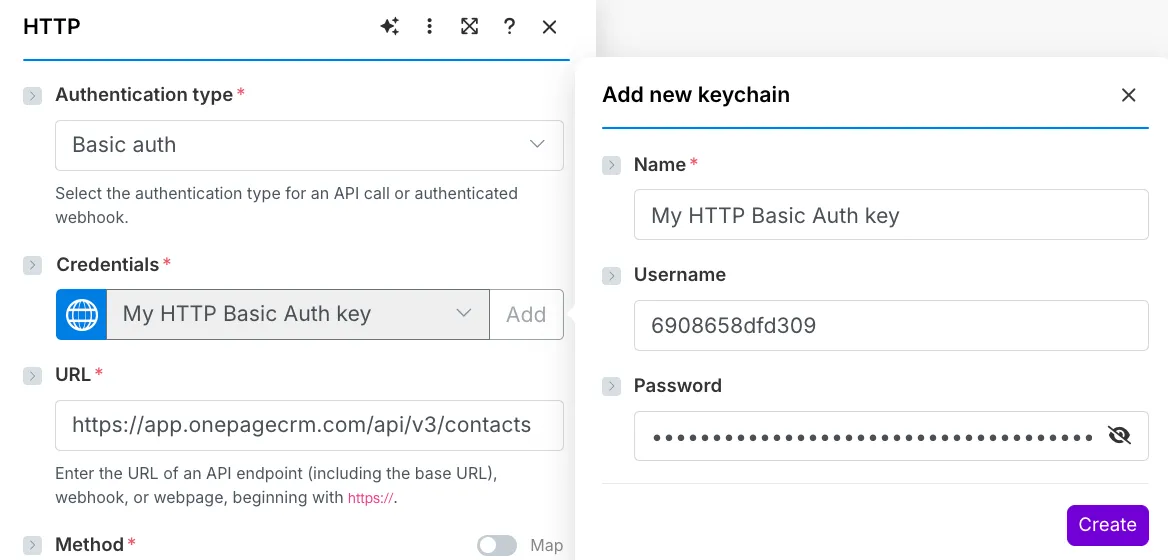
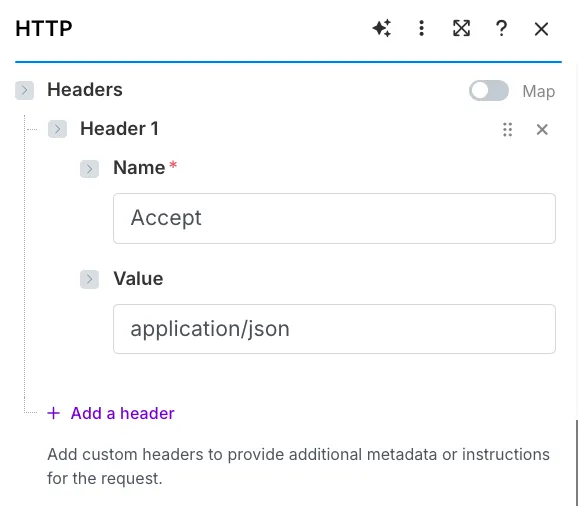
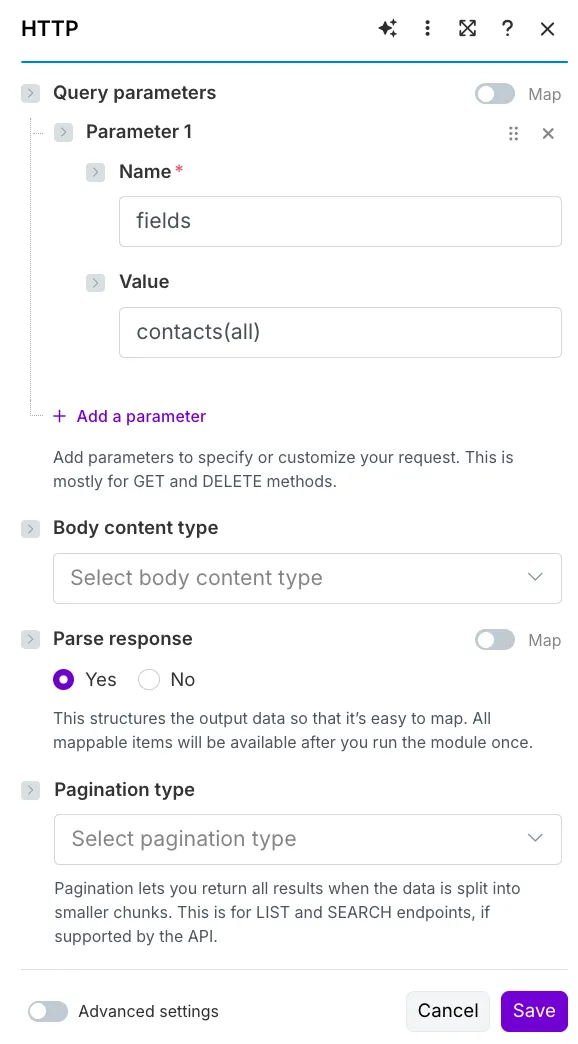
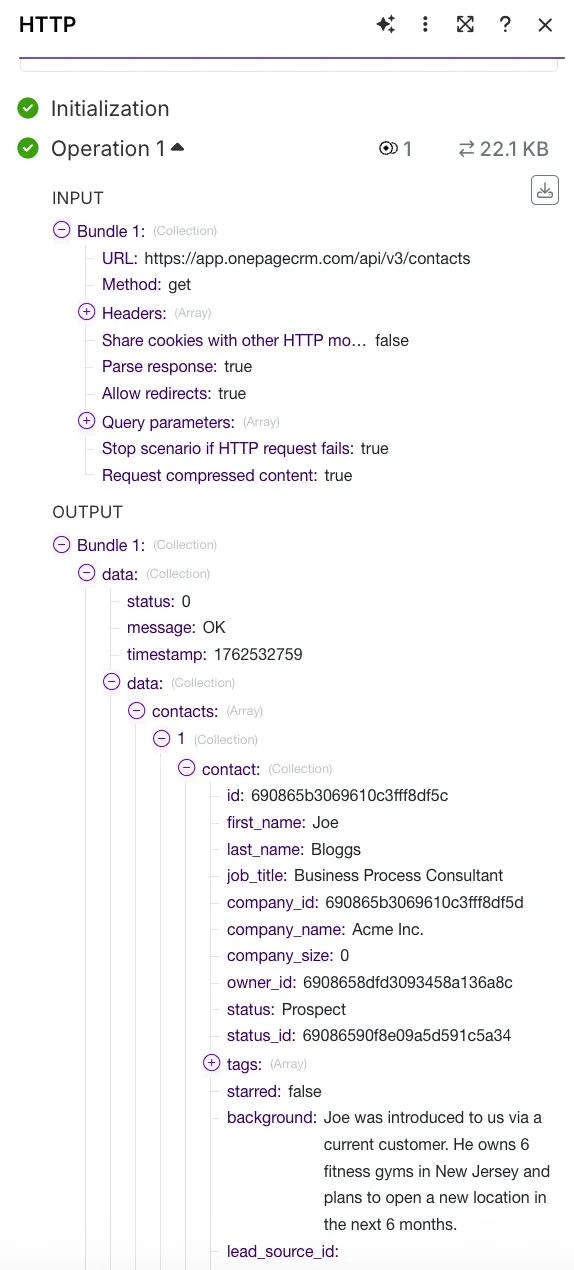
basic auth authentication type is used when the service provider requires a username and a password create a keychain for the basic auth authentication type field value usern ame enter the identifier, such as a user or client id, email address, or another value refer to the service's api documentation to determine what's used as a username for that particular integration password enter the secret value, such as api key, access token, or account password refer to the service's api documentation to determine what's used as a password for that particular integration you can edit these credentials at any moment in the keys section for that click keys (or three dots > keys ) in the left sidebar click three dots > edit next to the required key you will see the edit key window add new credentials and click save all the modules that use this keychain will be automatically adjusted http request example with basic auth authentication this example shows how to configure the http > make a request module for an http get request to onepagecrm to retrieve contacts to make an http request, you need to know the required authentication details, scopes, endpoints, and parameters for each request refer to the https //developer onepagecrm com/api/#/contacts for these details in the authentication type field, select basic auth click credentials (or add next to choose a key ) to add your basic auth credentials in the username field, enter the identifier according to onepagecrm api documentation, it's a user id you can obtain in your onepagecrm account in the password field, enter the secret value according to onepagecrm api documentation, it's an api key you can obtain in your onepagecrm account in the http request, make sends the username and password in this format base64(username\ password) click create you can also click choose a key to use an existing keychain from the drop down list in the url field, add the required api call to get the contacts, this example will use this url https //app onepagecrm com/api/v3/contacts select the get method required for this api call in the headers section, add accept for the name field, and application/json for the value field in the query parameters section, you can specify the contacts you want to get for example, if you want to retrieve all the existing information available for the contact, you can set name fields; value contacts (al) you can find the mandatory and possible query parameters in the service's api documentation (like for onepagecrm https //developer onepagecrm com/api/#/contacts ) since it's a get request, you can leave the body content section empty click save and run the module you'll see the http response in the output bundle