Built-in apps
HTTP
API key authentication type
4 min
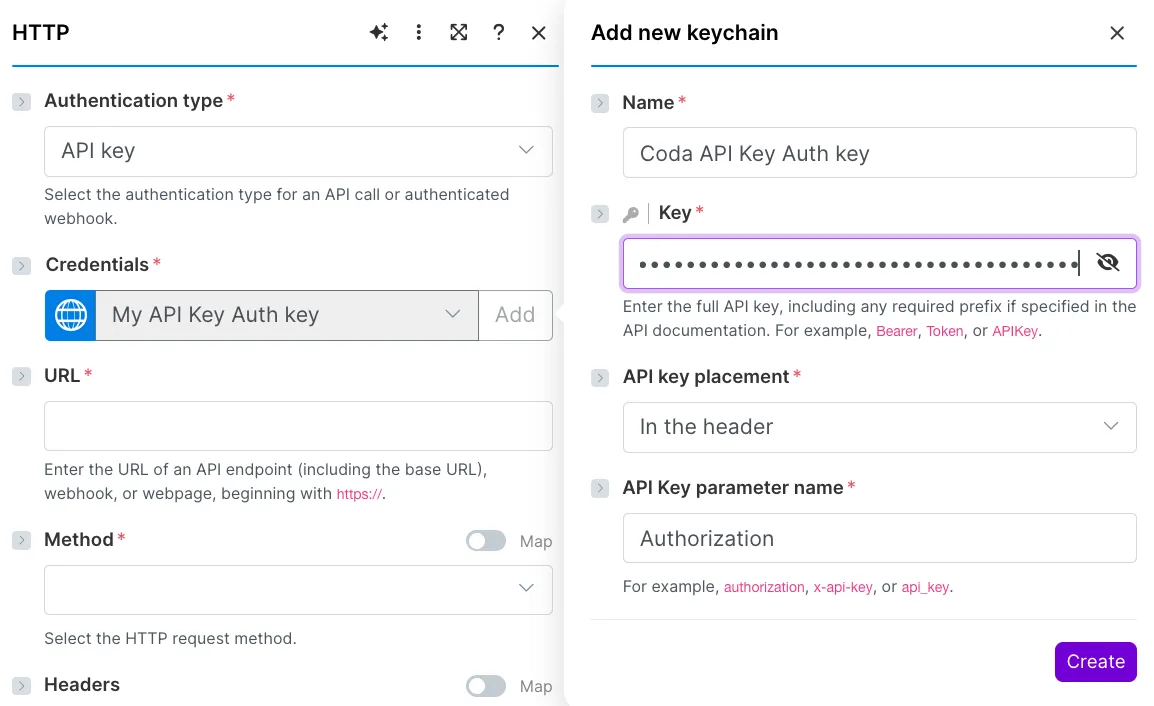
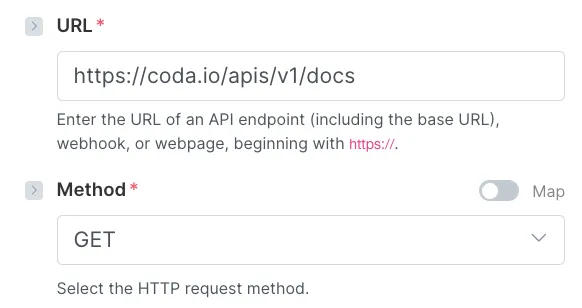
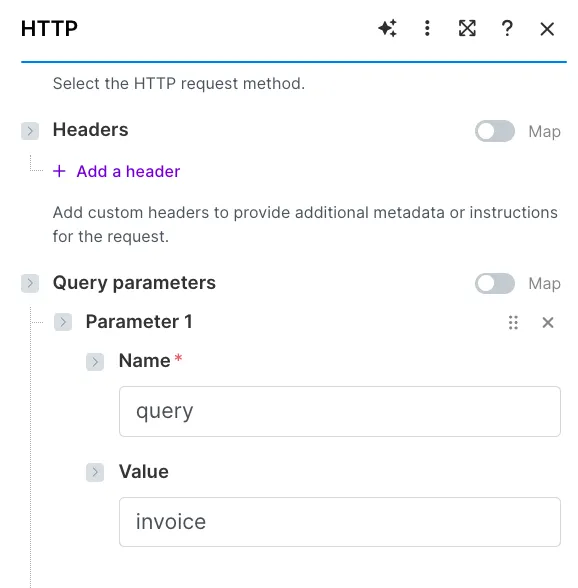
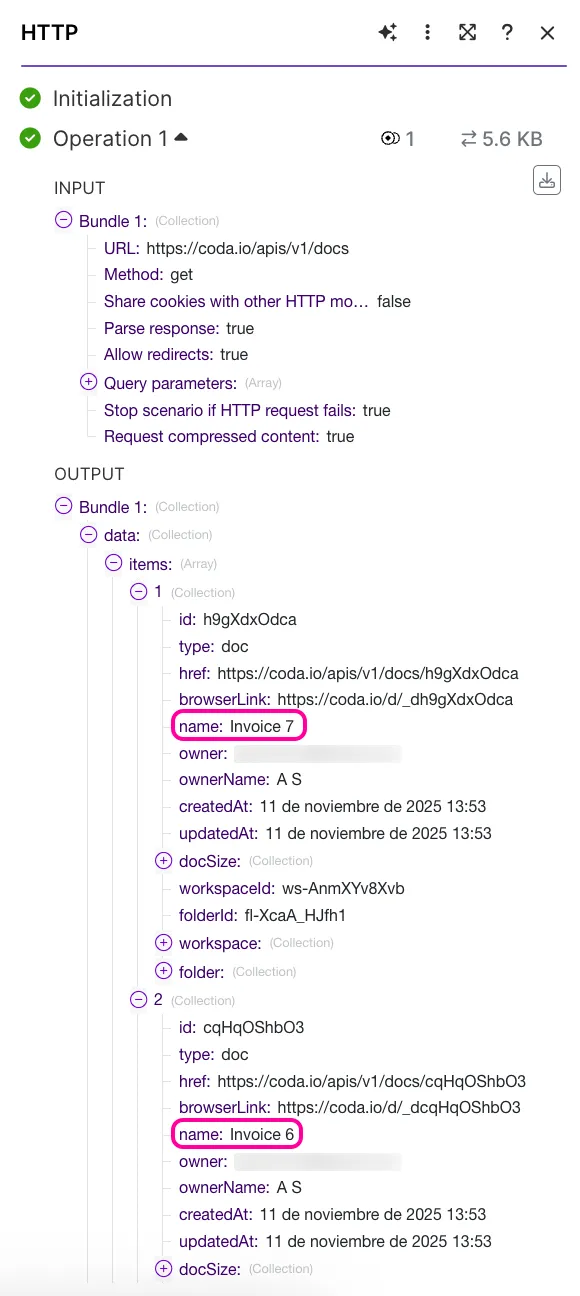
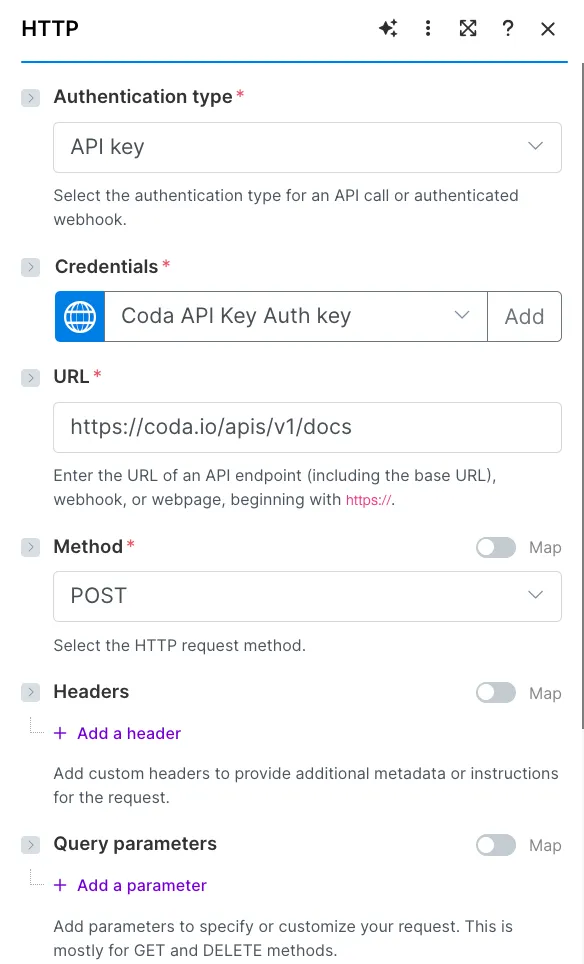
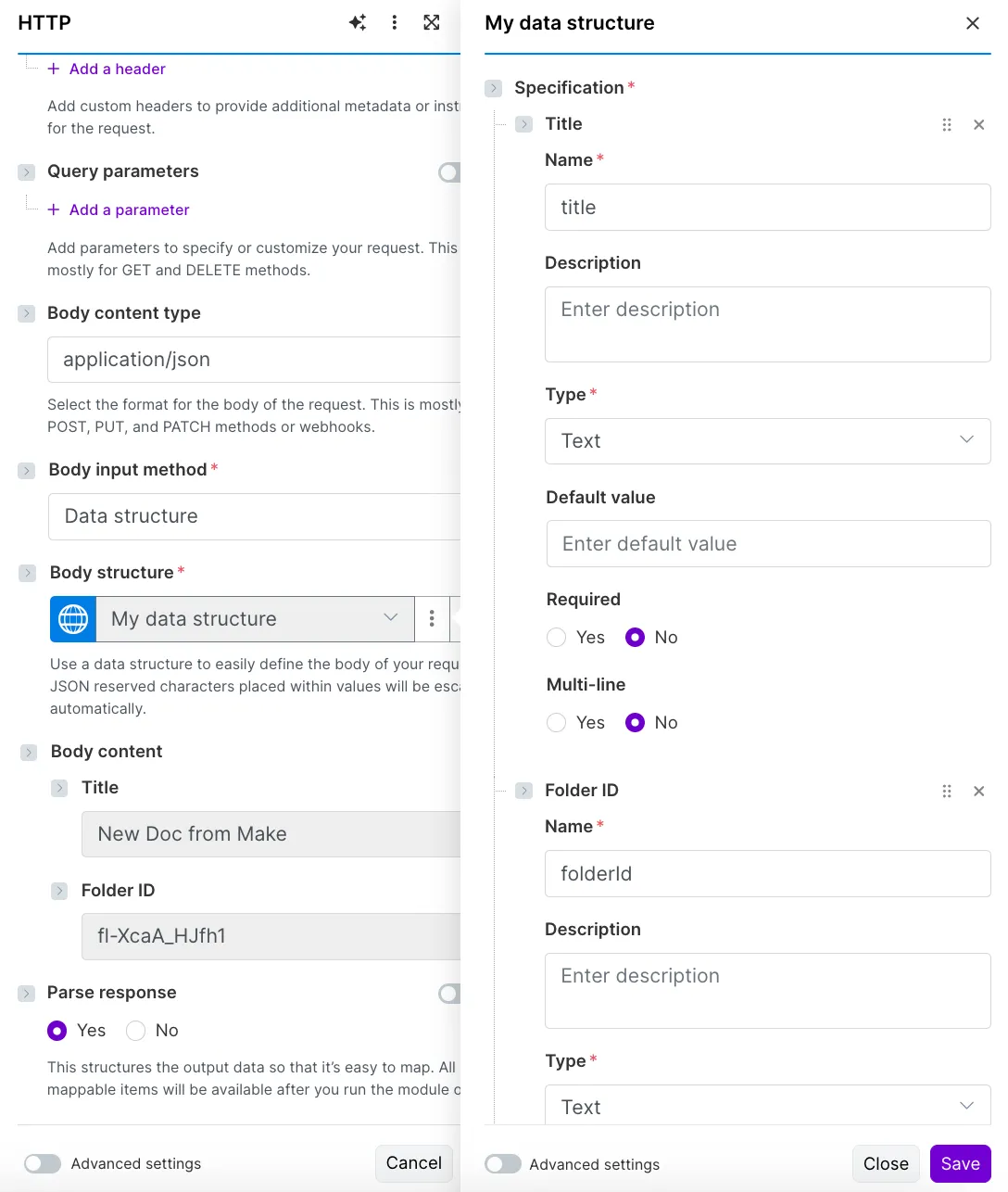
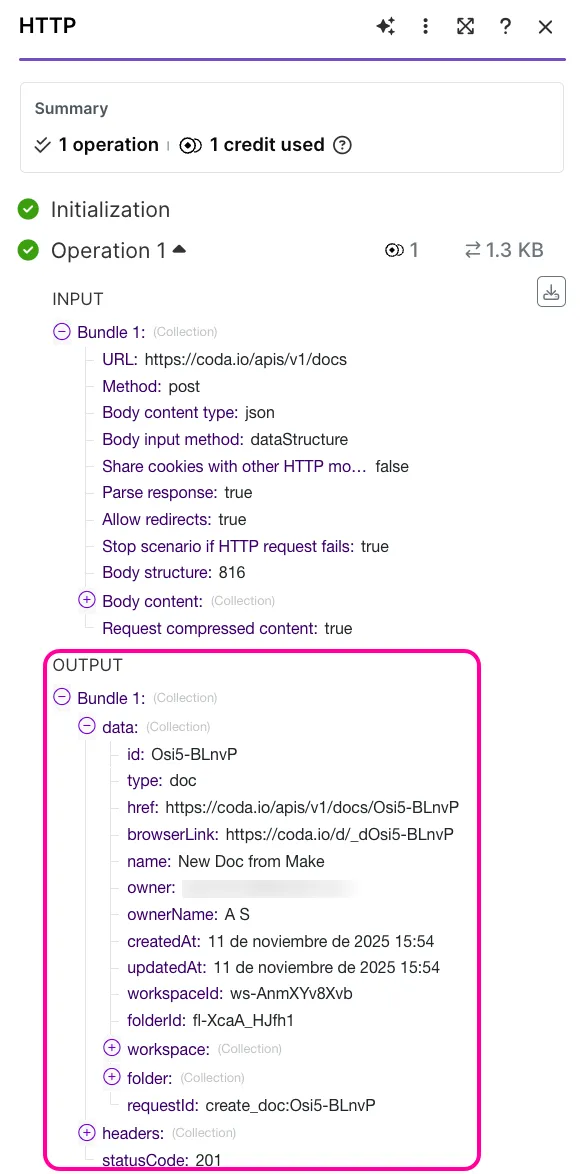
api key authentication type is used when the service provider requires an api key create a keychain for the api key authentication type field description name enter the name for your api key connection key enter the full api key, including any required prefix if specified in the api documentation for example, bearer, token, or apikey example bearer 1234 5678 abcd efgh api key placement select where the api key should be added in the request header or in the query parameters most modern apis require the api key to be included in the header however, to confirm, you need to check the api documentation for each service api key parameter name enter the name of the parameter that contains the api key for example, authorization , x api key , or api key this is how the service will identify the api key in your http request you can edit these credentials at any moment in the keys section for that click keys (or three dots > keys ) in the left sidebar click three dots > edit next to the required key you will see the edit key window add new credentials and click save all the modules that use this keychain will be automatically adjusted http request example with api key authentication this example shows how to configure the http > make a request module for a get request to coda to retrieve a list of available docs to make an http request, you need to know the required authentication details, scopes, endpoints, and parameters for each request refer to the https //coda io/developers/apis/v1#tag/docs/operation/listdocs for these details in the authentication type field, select api key click credentials (or add next to choose a key ) to add your api key in the name field, enter a name for your api key in the key field, enter the api key (called api token in coda) you've obtained from your coda account since coda requires specifying its api token by setting a header as authorization bearer \<api token> , add the token to the key field in this format bearer \<api token> in the api key placement field, select in the header as required by the coda api documentation in the api key parameters name field, enter authorization click create you can also click choose a key to use an existing keychain from the drop down list in the url field, add the required api call to list available docs in coda, this example will use this url https //coda io/apis/v1/docs select the get method required for this api call leave the headers section empty in the query section, you can add query for the name field, and invoice for the value field this way, you will set the filter to retrieve the docs that contain 'invoice' in their name you can also set any other query you can find the mandatory and optional query parameters in the service's api documentation since it's a get request, you can leave the body content section empty click save and run the module you'll see the http response in the output bundle to make an http post request to create a doc use the same credentials and the same url https //coda io/apis/v1/docs select the post method required for this api call leave the headers and query sections empty for the body section in the body content type field, select application/json in the body input method field, select data structure in the body structure field, click add to create a new data structure add a text field title to be able to name the newly created doc, and a text field folderid to indicate the id of the folder where the doc should be created click save in the body content field, add the title and the folder id click save and run the module you can now check your coda app a new document called new doc from make will be created you can also see it in the output