Zoho CRM

Zoho CRM is a customer relationship management system that helps businesses manage interactions with their customers, track sales leads, and streamline sales processes. With Zoho CRM modules in Make, you can list modules and fields, manage users, objects, related records, tags, and attachments, upsert leads, and upload photos in your Zoho CRM account.
Requirements
To use the Zoho CRM app in Make, you must have a Zoho CRM account.
Connect Zoho CRM and Make
To get started, you must first create a connection between Zoho CRM and Make, allowing the two services to communicate.
If you have more then one connection created to your Zoho CRM account, the Zoho CRM modules will not work.
To create the connection:
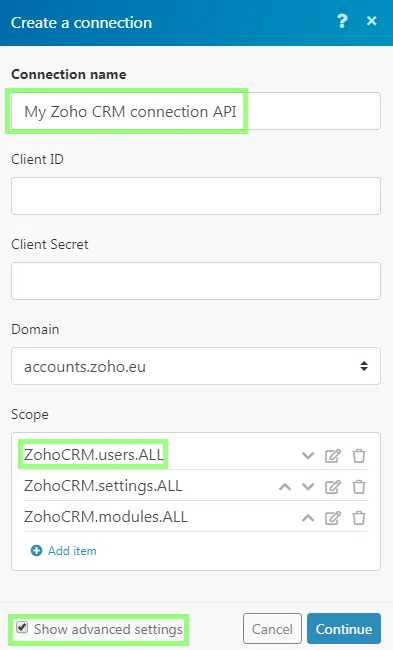
Log in to your Make account, add a Zoho CRM module to your scenario, and click Create a connection.
Optional: In the Connection name field, enter a name for the connection.
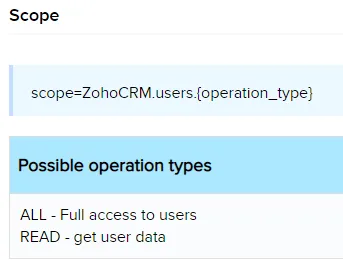
Optional: Click Show Advanced Settings and enter your custom app client credentials or manually add scopes. You must have a Zoho developer account to create custom apps. For more information, refer to the Zoho CRM Register your Application guide.
If requested, use the following Redirect URI when creating your custom app: https://www.integromat.com/oauth/cb/zohocrm2.
Click Save.
If prompted, authenticate your account and confirm access.
You've successfully created the connection and can now use the Zoho CRM app in your scenarios. If you want to make changes to your connection in the future, follow the steps here.
Templates
You can look for Zoho CRM templates in Make's template gallery, where you'll find thousands of pre-created scenarios.