Zoho Recruit
3 min
The Zoho Recruit modules allow you to monitor, create, update, send, retrieve, and list the records in your Zoho Recruit account.
Getting Started with Zoho Recruit
Prerequisites
Connecting Zoho Recruit to Make
- Log in to your Make, open the Zoho Recruit module, and click the Add button next to the Connection field.
- In the Connection name field, enter a name for the connection.
Optional: Click Show Advanced Settings and enter the client credentials. See Create your own app and client credentials.
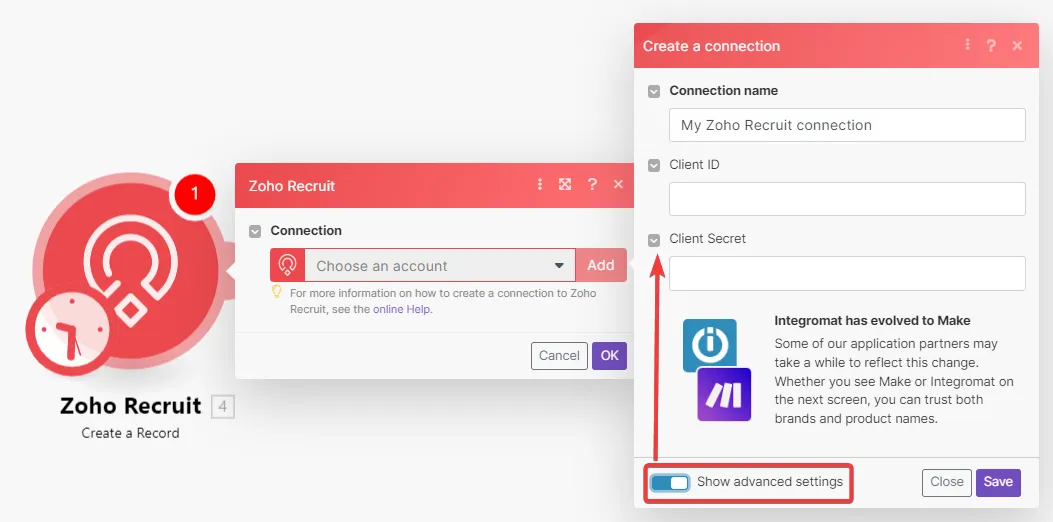
- Click Save.
- Confirm the access by clicking Accept.
The connection has been established.
Create your custom app and client credentials
To create your own app:
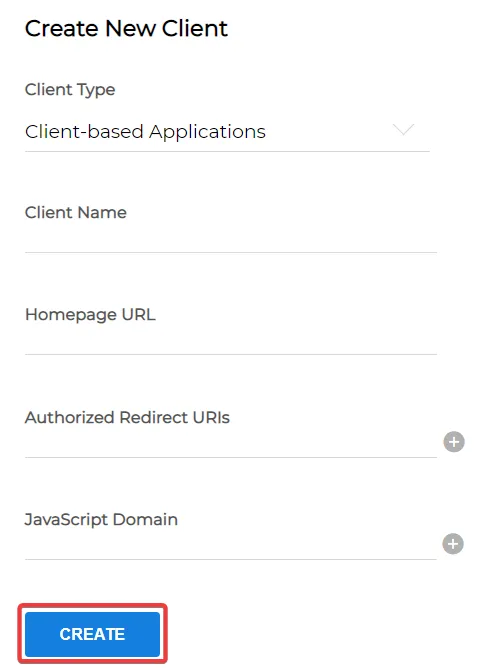
- Click ADD CLIENT and choose a client type.
Enter the app detail as described below and click CREATE.
Copy the Client ID and Client Secret to a safe place.
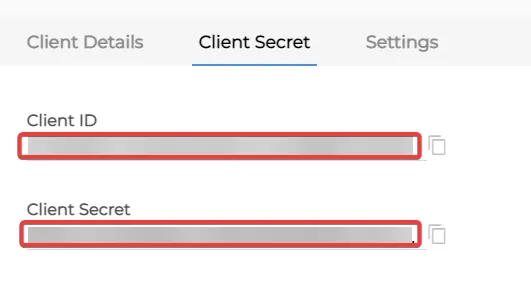
You have successfully retrieved the client credentials.