Yodel.io
Getting Started with Yodel.io
The Yodel.io modules allow you to monitor inbound calls, outbound calls, finished calls, added tags, and removed tags in your Yodel.io account.
Prerequisites
- A Yodel.io account
In order to use Yodel.io with Make, it is necessary to have a Yodel.io account. If you do not have one, you can create a Yodel.io account at manage.yodel.io/sign_up.
Connecting Yodel.io to Make
To connect your Yodel.io account to Make the API Key must be obtained from your Yodel.io account.
1. Open Integrations settings from the menu on the left.
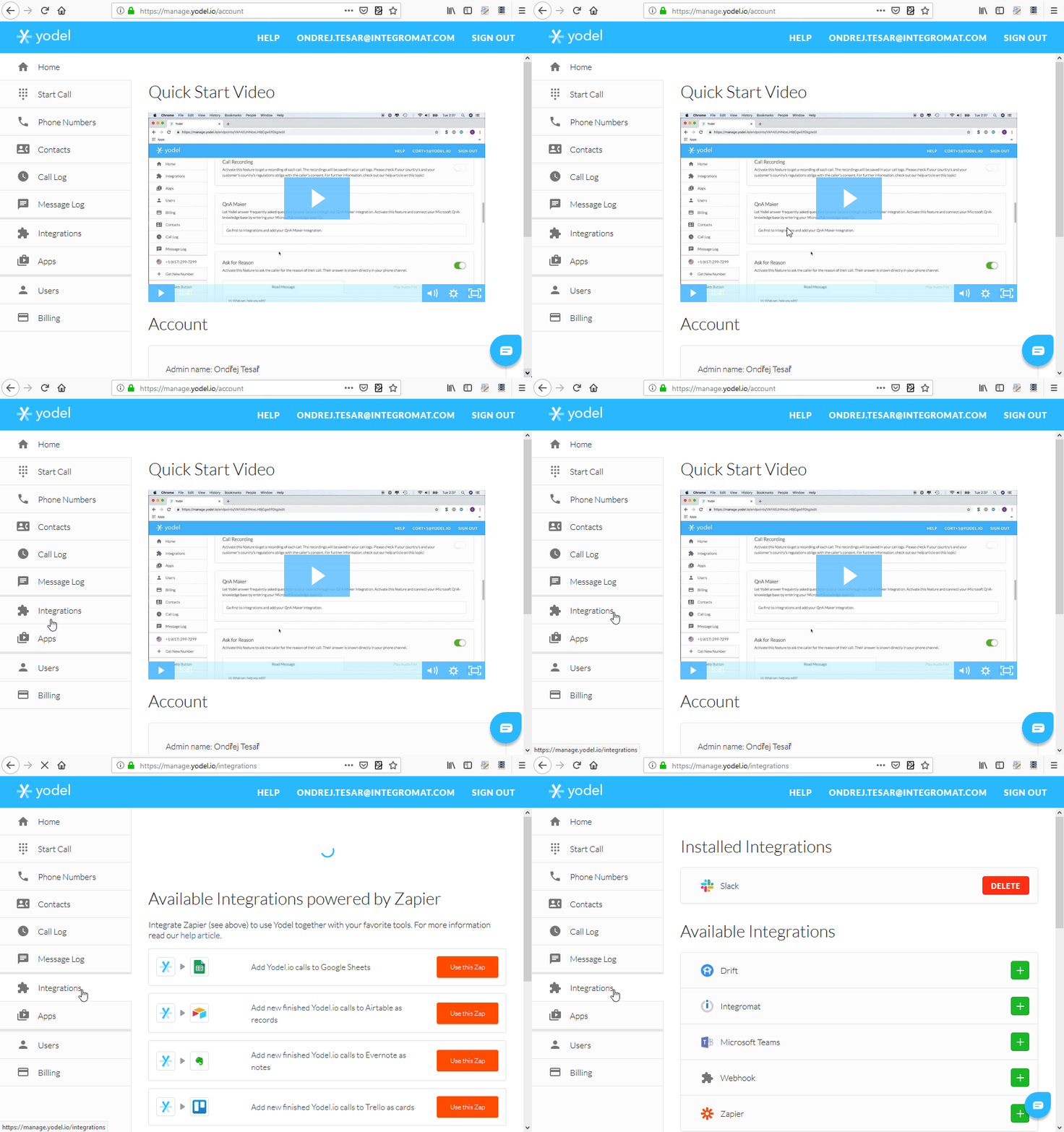
2. Add Make from the Available Integrations section by clicking the green button .
3. Make now appears in the Installed Integrations section.
4. Click on the View button to view and copy the generated token.
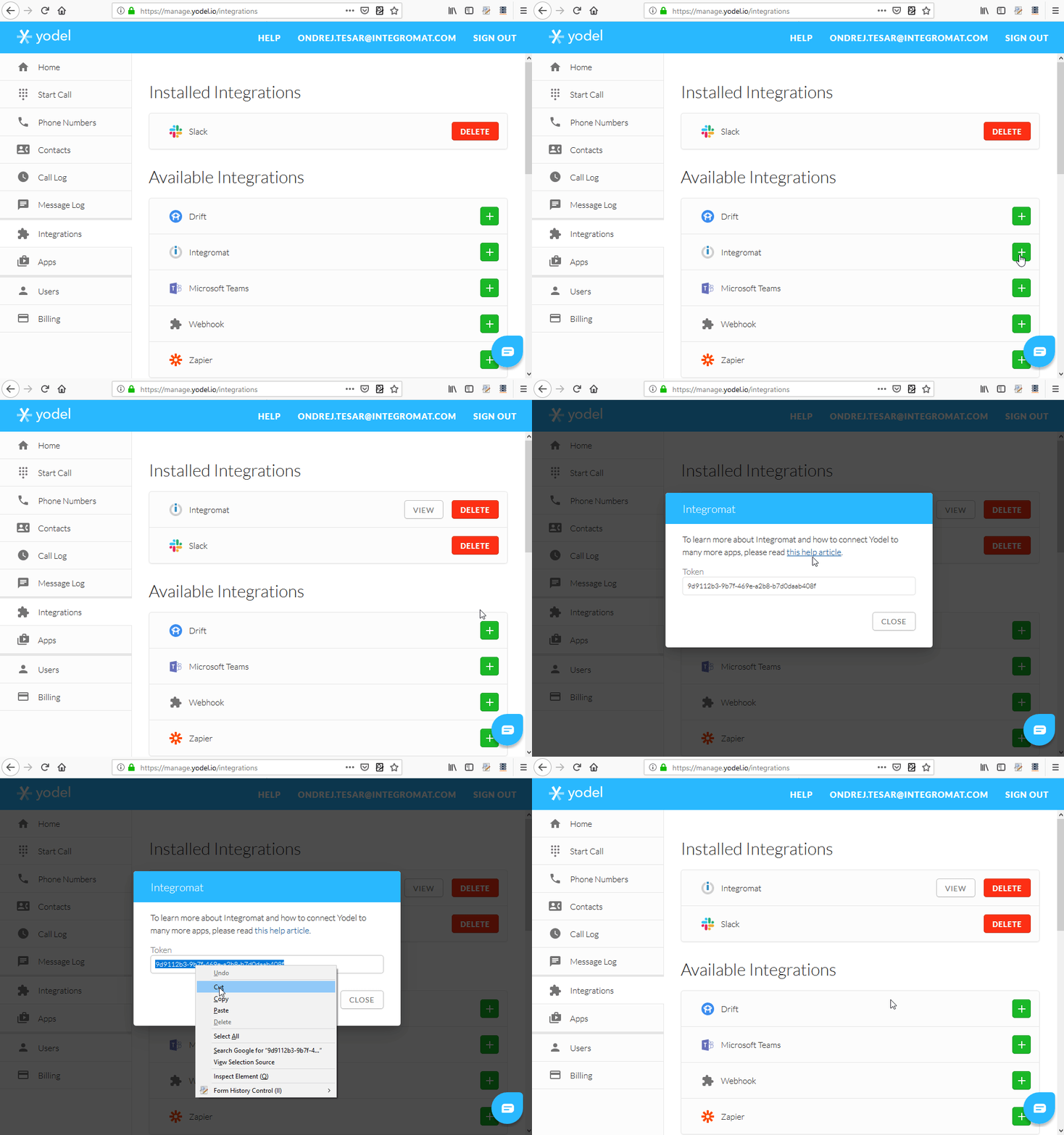
5. Insert the copied token to the API Key field in the Create a connection dialog and save the dialog using the Continue button.
The connection between Yodel.io and Make is now established.
For information about making calls in Slack using Yodel.io please refer to the Yodel.io knowledge base.