Communication
2Chat
20 min
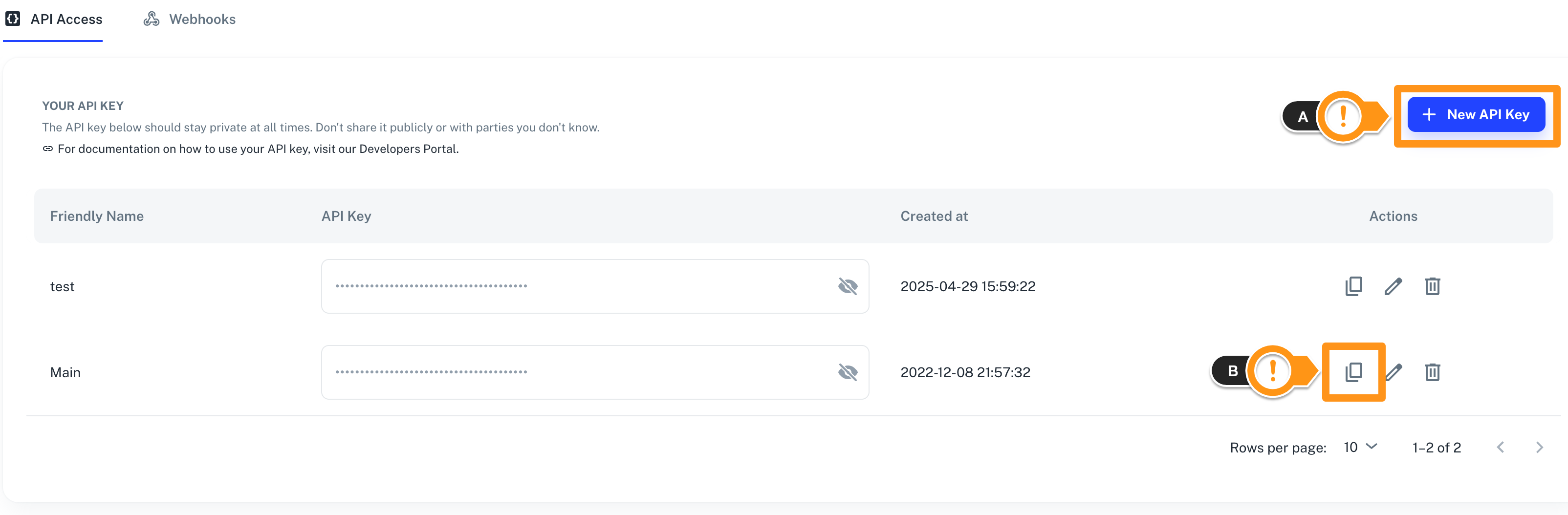
2chat is a whatsapp business api provider that enables businesses to automate, manage, and scale customer conversations integrating 2chat with make com lets users automate whatsapp messaging, manage contacts, and streamline support workflows directly from their make scenarios this is ai generated content based on official 2chat documentation the content may contain mistakes please verify important information if you have questions on vendor documentation, contact https //help 2chat io directly requirements to use the 2chat app in make, you must have an active 2chat account and an api key, https //2chat co for subscription, refer to the https //2chat co connect 2chat and {{product name}} to get started, you must first create a connection between 2chat and {{product name}} , allowing the two services to communicate obtain your api key in your 2chat account create the connection in make obtain your api key in your 2chat account before you create the connection in {{product name}} , you should first obtain your api key in your 2chat account to obtain your api key navigate to the developers section select the api access tab copy the api key displayed on screen you will use this value while creating a connection in {{product name}} because the ui might have changed, the steps you see on your screen might be different, https //developers 2chat co/docs/intro create the connection in {{product name}} https //www make com/en/register , add the 2chat module to your {{scenario singular lowercase}} , and click create a connection if you add a module with an instant tag, click create a webhook , then create a connection optional in the connection name field, enter a name for the connection enter the authentication credentials you copied from your 2chat account or follow the on screen instructions to create the connection for detailed information on connecting an application, see docid\ so88fm6pkt0g adkddfzz page 2chat modules after connecting to the 2chat app, you can choose from a list of available modules to build your {{scenario plural lowercase}} check a phone number for whatsapp account verifies whether a specific phone number is registered with a whatsapp account list whatsapp groups retrieves a list of all whatsapp groups that your connected phone number is currently a member of list whatsapp phone numbers retrieves a list of your whatsapp phone numbers that are currently linked to your 2chat account make an api call executes a custom api request to the connected service using your authorized credentials send a media message to a whatsapp group sends a multimedia file—such as an image, video, document, or audio message—to a specified whatsapp group chat send a text message to a whatsapp group sends a custom text message to a selected whatsapp group chat send a whatsapp media message sends a multimedia message—such as an image, video, document, or audio file—to a specified whatsapp enabled phone number send a whatsapp text message sends a whatsapp text message to a specified phone number set a whatsapp status updates the text status message for the specified connected phone number watch call status update triggers when the status of a phone call changes, such as when it starts ringing, is missed, answered, canceled, or completed watch incoming call completed triggers when an incoming phone call to your connected number is either answered or missed and the call ends watch new participant joined whatsapp group triggers when a new participant is added to a specific whatsapp group watch new whatsapp conversation triggers when a new whatsapp conversation is initiated in your account during the selected time frame watch new whatsapp message triggers whenever a new message is sent or received in 2chat, whether the message comes from your agents or from your users/customers watch order received on whatsapp triggers when your configured whatsapp number receives a new order message watch outgoing call completed triggers when an outgoing phone call made from your system is either answered or canceled, indicating the call has ended watch participant left a whatsapp group triggers when a participant exits or is removed from a specific whatsapp group watch participant removed from whatsapp group triggers an event whenever a member is removed from a specific whatsapp group watch received whatsapp group message triggers when a new message is posted in the specified whatsapp group watch received whatsapp group message reaction triggers when a participant adds a reaction (such as an emoji) to a message in a whatsapp group chat watch received whatsapp message triggers when your configured whatsapp number receives a new incoming message watch received whatsapp message reaction triggers when a user adds a reaction (such as an emoji) to a whatsapp message watch whatsapp call made triggers when an incoming or outgoing whatsapp call is placed using your connected phone number watch whatsapp call received triggers when your connected whatsapp number receives an incoming call templates you can look for more templates in https //www make com/en/templates , where you'll find thousands of pre created {{scenario plural lowercase}} 2chat resources you can have access to more resources related to this app on the following links https //community make com/search?q=2chat https //2chat co https //developers 2chat co/docs/intro https //www make com/en/integrations/two chat