IT and Development
SE Ranking SEO Data
29 min
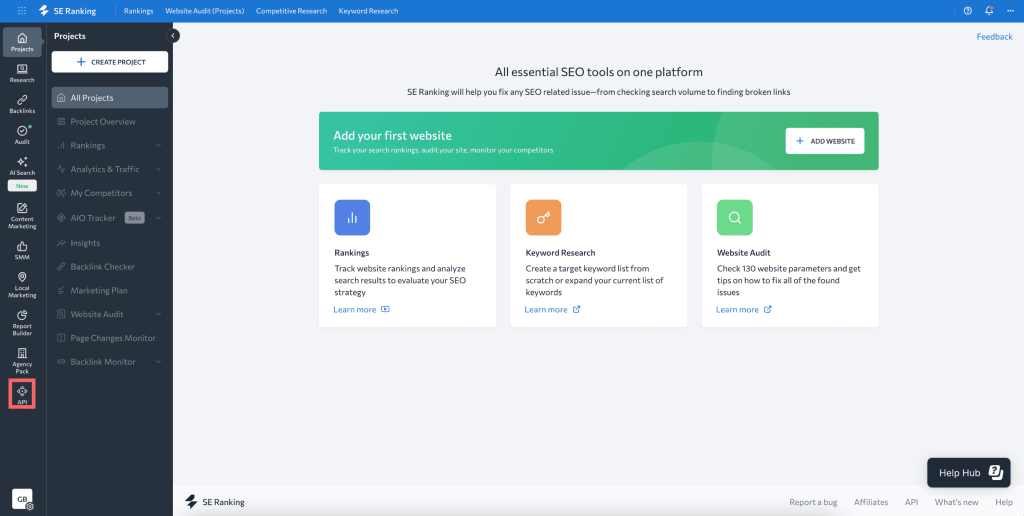
se ranking seo data api provides access to keyword, competitor, and website ranking data integrating with make com enables users to automate keyword tracking, retrieve competitor analysis, and sync seo performance metrics with other marketing or reporting tools this is ai generated content based on official se ranking seo data documentation the content may contain mistakes please verify important information if you have questions on vendor documentation, contact https //seranking com/contact html directly requirements to use the se ranking seo data app in make, you must have an active paid subscription and a generated api key, https //seranking com/seo data api html?sou1=partner\&gr1=listing\&tg1=make\&kw1= data api\&utm source=partner\&utm medium=referral\&utm campaign=make partner program for subscription, refer to the https //seranking com/seo data api html?sou1=partner\&gr1=listing\&tg1=make\&kw1= data api\&utm source=partner\&utm medium=referral\&utm campaign=make partner program connect se ranking seo data and {{product name}} to get started, you must first create a connection between se ranking seo data and {{product name}} , allowing the two services to communicate obtain your api key in your se ranking seo data account create the connection in make obtain your api key in your se ranking seo data account before you create the connection in {{product name}} , you should first obtain your api key in your se ranking seo data account to obtain your api key navigate to profile and preferences and select api dashboard click the create api key button in the top right corner enter a name for your api key and select data as the type, then click create key copy the api key displayed in the api key s table you will use this value while creating a connection in {{product name}} because the ui might have changed, the steps you see on your screen might be different, https //seranking com/api/data/getting started/ create the connection in {{product name}} https //www make com/en/register , add the se ranking seo data module to your {{scenario singular lowercase}} , and click create a connection if you add a module with an instant tag, click create a webhook , then create a connection optional in the connection name field, enter a name for the connection enter the authentication credentials you copied from your se ranking seo data account or follow the on screen instructions to create the connection for detailed information on connecting an application, see docid\ so88fm6pkt0g adkddfzz page se ranking seo data modules after connecting to the se ranking seo data app, you can choose from a list of available modules to build your {{scenario plural lowercase}} create backlinks export task initiates an export process to retrieve all backlinks associated with a specified target and provides a task id for tracking the export status create serp tasks adds one or more search queries to the queue to retrieve search engine results pages (serp) data get backlinks history (new/lost) fetches a list of newly acquired or lost backlinks for a specified target website within a chosen date range get a backlinks export task status monitors the progress of a backlinks export task and provides the download link once the export is finished get a domain stats by region fetches comprehensive keyword performance data for a chosen domain from a specific regional database get a domain worldwide stats fetches comprehensive search performance statistics, both globally and by individual country, for a given domain get a serp task status and results fetches the current status or full results of a specified serp (search engine results page) task if the task is still in progress, no results are provided once the task is finished, each individual serp result is output as a separate bundle get an account subscription retrieves detailed information about your current subscription and displays the available api balance associated with your authenticated api key make an api call executes a custom api request to the connected service using your authorized credentials search all backlinks fetches a comprehensive list of all backlinks that direct to a specified target url, allowing you to apply detailed filters and sorting criteria search all backlinks (raw) fetches all backlinks that direct to a specified target, organizing the results into batches using cursor based pagination for efficient retrieval search backlinks anchors fetches detailed information about the anchor texts used in backlinks that direct to a specified target url search backlinks count fetches the total count of active backlinks associated with specified domains, hosts, or urls search backlinks metrics fetches detailed backlink statistics for specified domains, hosts, or urls search backlinks summary fetches detailed backlink statistics for specified domains, hosts, or urls, providing comprehensive insights into their link profiles search cumulative backlinks history fetches the daily count of active backlinks for each day in a selected date range search daily backlinks history count fetches the daily number of new and/or lost backlinks for a specified target website within a chosen date range search daily referring domains history count fetches the daily number of new and/or lost referring domains associated with a specified target during a selected date range search domain authority fetches the domain authority (domain inlink rank) score for specified domains, hosts, or urls to assess their online influence search domain authority distribution fetches the domain authority scores for all domains that link to a specified target, showing how those domains are distributed by authority level search domain competitors fetches a list of competitor domains—either organic or paid—that are related to a specified target domain search domain historical stats fetches detailed historical data on organic or paid search performance for a chosen domain and database search domain keywords fetches a detailed list of organic or paid search keywords associated with a specific domain, allowing you to apply advanced filters and sorting to refine the results search domain overview fetches comprehensive regional and historical database information related to a specified domain search indexed pages fetches a list of pages from the specified target that are indexed and have incoming backlinks search keyword domain comparison analyzes and compares the keywords used by two domains to identify shared keywords and highlight keywords that are unique to each domain search keyword metrics fetches detailed metrics—including search volume, cost per click (cpc), competition level, and keyword difficulty—for multiple specified keywords from a selected regional database, enabling comprehensive bulk keyword analysis search longtail keywords fetches a list of long tail keywords that are closely related to a specified seed keyword, helping you identify more targeted search terms with lower competition and specific user intent search page & domain authority fetches the page authority (inlink rank) and domain authority metrics for specified urls to help assess their seo strength search page authority fetches the page authority (inlink rank) scores for specified urls to assess their relative strength and ranking potential search page authority history fetches the historical page authority (inlink rank) data for a given url, showing how its ranking has changed over time search paid ads by domain fetches a list of keywords that a specified domain is actively bidding on, along with detailed information about the advertisements associated with each keyword search paid ads by keyword provides a summary of paid advertisements launched by different domains that are targeting a specific keyword search question keywords fetches a list of commonly asked user questions based on a specified seed keyword, along with comprehensive keyword metrics search referring domains fetches detailed data about the websites (referring domains) that link to a specified target url search referring domains count returns the total count of distinct referring domains that link to one or more specified target domains, hosts, or urls search referring domains history (new/lost) fetches a list of referring domains that have either started linking to or stopped linking to a specified target within a chosen date range search referring ips fetches detailed data about the ip addresses that have referred traffic to a specified target search referring ips count returns the total count of distinct ip addresses that have referred traffic to specified domains, hosts, or urls search referring subnets count returns the total count of distinct referring subnets that have directed traffic to specified target domains, hosts, or urls search related keywords fetches a list of keywords that are closely related to a given topic by analyzing overlapping search results, and provides detailed metrics such as search volume, cost per click (cpc), and an optional relevance score for each keyword search serp tasks fetches a list of all serp tasks assigned to the user that were added to the queue in the past 24 hours search similar keywords searches for keywords that are semantically related to a given seed keyword within a specified region, and provides detailed metrics such as search volume, cost per click (cpc), keyword difficulty, and, if requested, historical performance data templates you can look for more templates in https //www make com/en/templates , where you'll find thousands of pre created {{scenario plural lowercase}} se ranking seo data resources you can have access to more resources related to this app on the following links https //community make com/search?q=se%20ranking%20seo%20data https //seranking com/seo data api html?sou1=partner\&gr1=listing\&tg1=make\&kw1= data api\&utm source=partner\&utm medium=referral\&utm campaign=make partner program https //seranking com/api/data https //www make com/en/integrations/se ranking seo data