Scenarios

Scenarios is a built-in app for managing scenarios. With the Scenarios app in Make, you can start or call a scenario, return scenario outputs, and customize the run name.
Modules
With the Scenarios app, you can use the following modules to build your scenarios.
All Scenarios modules are free to use, as they do not consume creditscredits.
Triggers
Start scenario
Starts the scenario when called by another source, and lets you receive scenario inputs.
You should use the Start scenario module in a called scenario.
Field | Description |
|---|---|
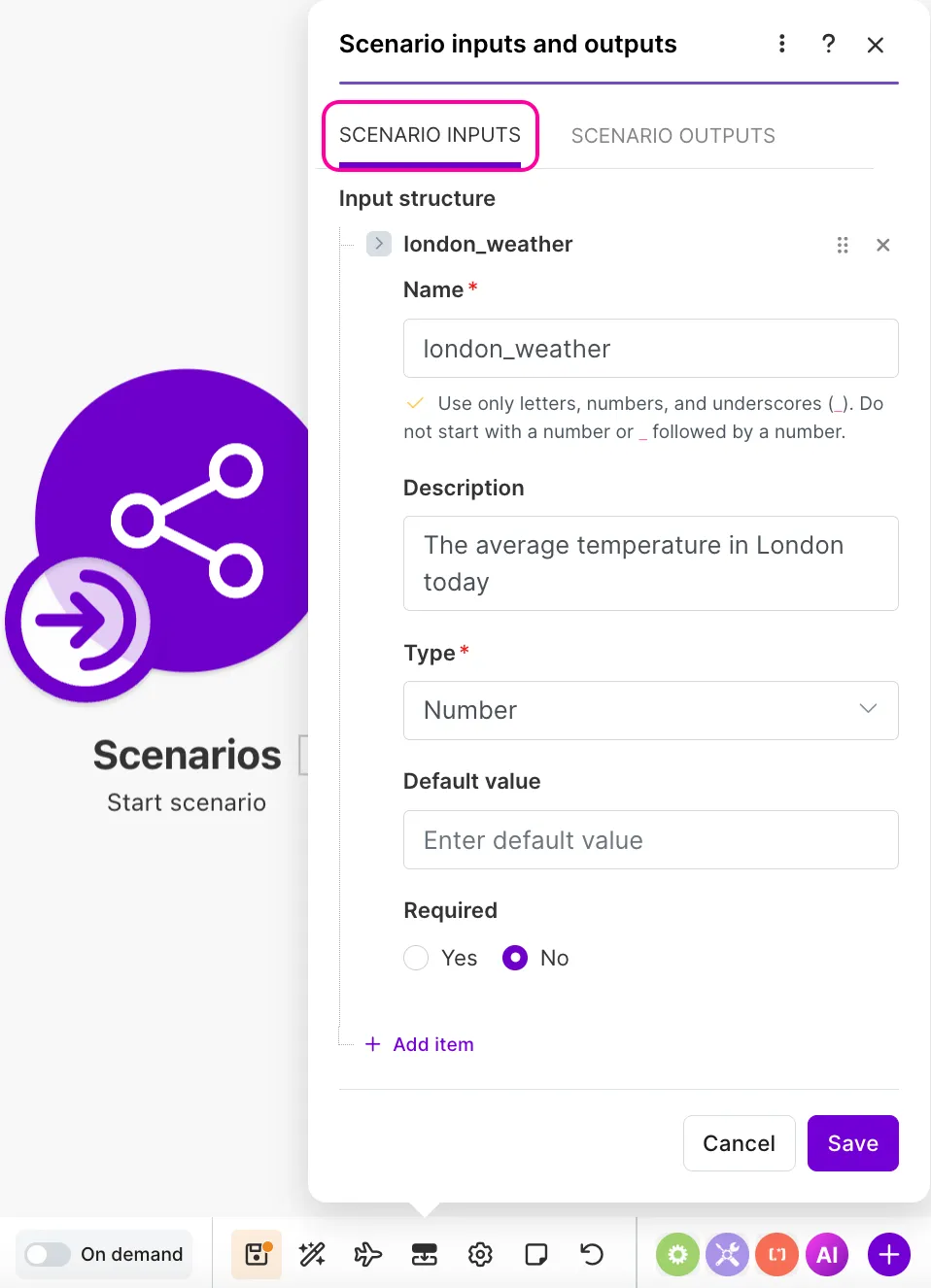
Receive data from another source | Click Add scenario inputs to open Scenario inputs and outputs in the scenario toolbar. In Scenario inputs, define the scenario inputs that you want to pass into this subscenario from the calling scenario:
 |
Actions
Call a scenario
Calls another scenario from the scenario flow, and lets you pass scenario inputs and outputs between the two.
All scenarios called by the Call a scenario module must be active and scheduled On demand.
Updates to scenario inputs and outputs in subscenarios are not automatically reflected in parent scenarios. To sync changes, return to the parent scenario, open the Call a scenario module, and update the scenario inputs. Scenario outputs should be updated in the subsequent modules of the parent scenario
Field | Description |
|---|---|
Scenario | Select an existing scenario within your team or create a scenario.
Select a scenario in the dropdown. It must be active and scheduled to On demand.
Click the Create scenario button in the dropdown to open a configuration dialog:
|
Scenario Inputs | Map the value of the input to pass into the scenario you're calling. For example, from a preceding module's output bundle or a hard-coded value (e.g., a function). 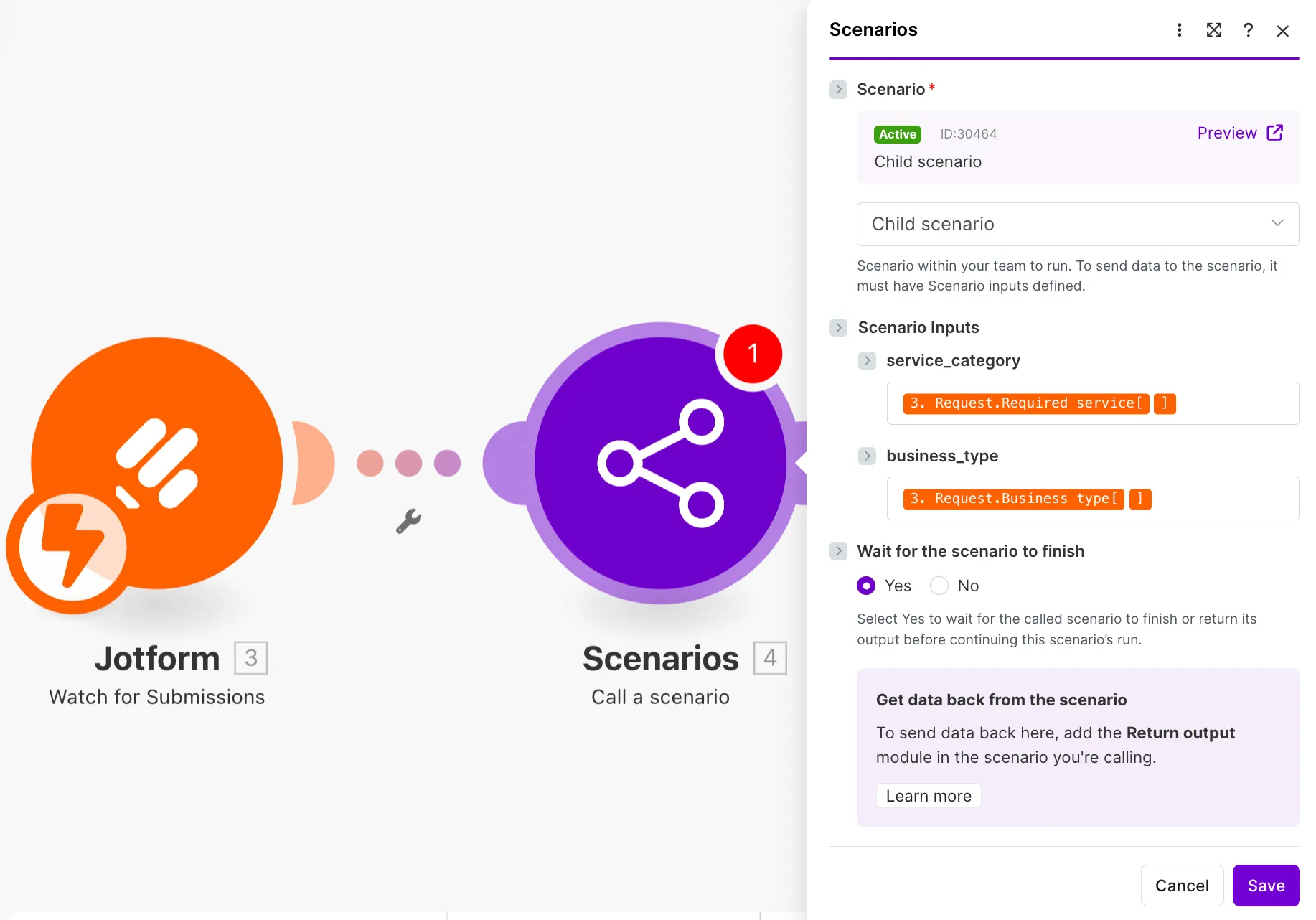 These fields are autogenerated after you define the scenario input names in the called scenario. |
Wait for the scenario to finish |
|
Return output
Sends the scenario's output back to the source that called it.
You add this module to the end of a called scenario.
Field | Description |
|---|---|
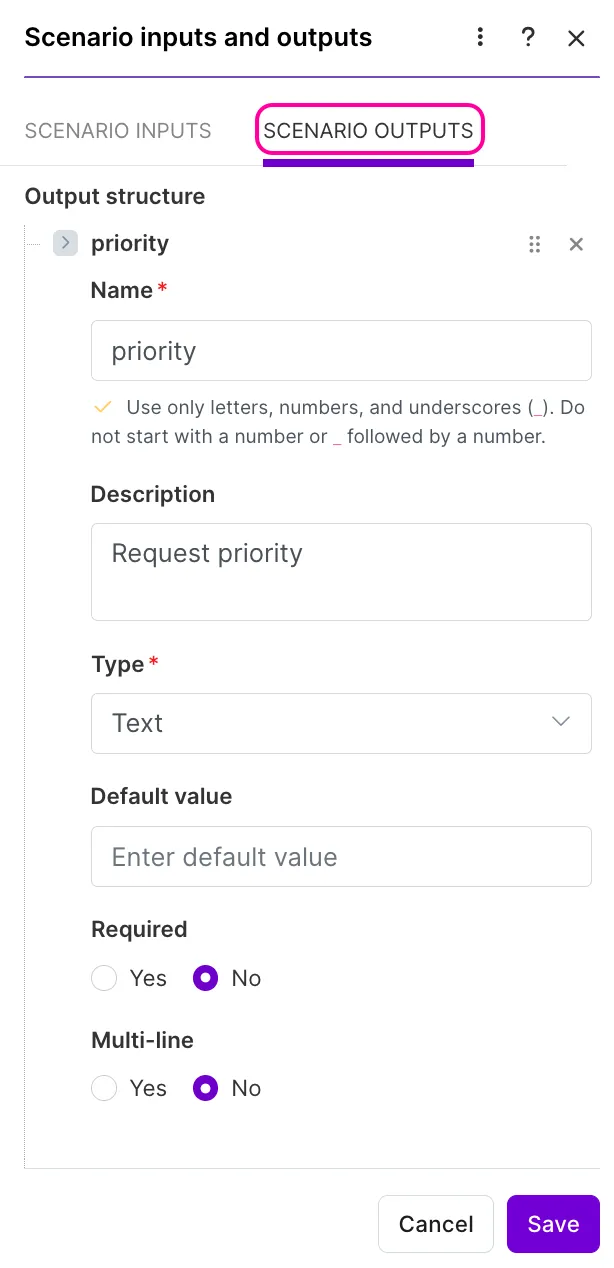
[Output name] | Click Add scenario outputs to open Scenario inputs and outputs in the scenario toolbar. In Scenario Outputstab, define the scenario outputs that you want to pass from the called scenario to the calling scenario:
 Map the value of the output to send back to the calling scenario. This value can be from a preceding module's output bundle or a hard-coded value (e.g., function). 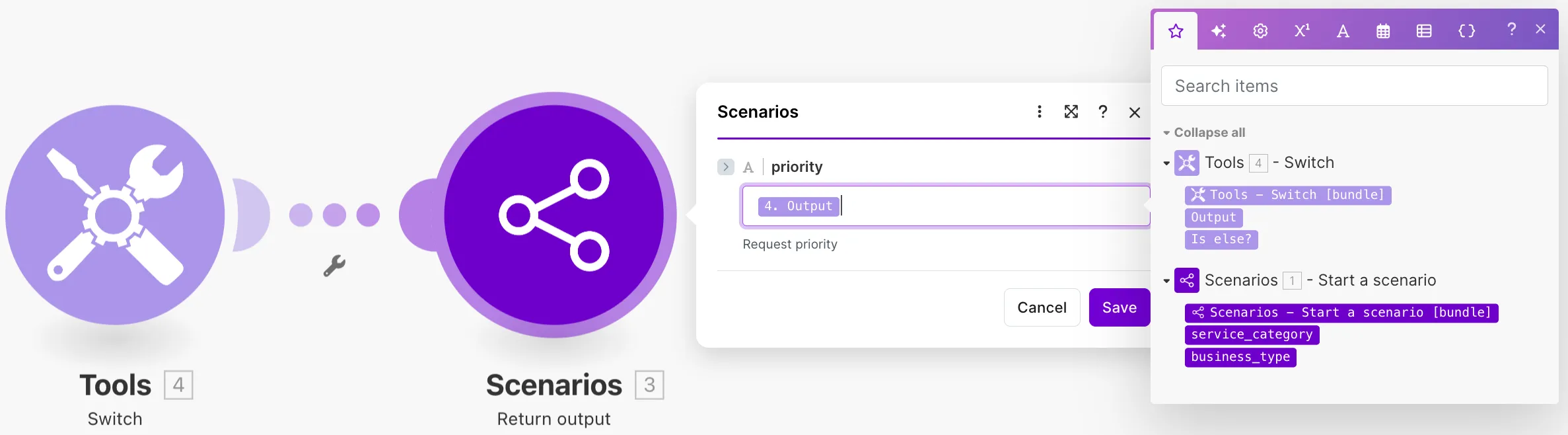 These fields are autogenerated after you define scenario outputs in this module's scenario, in Scenario inputs and outputs. |
Customize run name
Defines a custom scenario run name so you can easily identify and search for records.
Add this module anywhere in your scenario to name runs conditionally based on data mapped from a preceding module. You can add it multiple times in a scenario, such as at the end of each route, to name runs based on where data is processed.
You can find custom run names in the Run name column of the scenario historyscenario history. The Customize run name module furthest in the scenario route defines the name that appears in this table.
Field | Description |
|---|---|
Run name | Enter a custom run name. You can map data from preceding modules to generate a unique value for each run. For example: New contact: recipientName |
Scenarios resources
- Make Help Center: Subscenarios
- Make Help Center: Scenario inputs and outputs