Salesloft
 | Salesloft is a sales engagement platform that helps teams manage communications, track customer interactions, and automate sales workflows. Integrating Salesloft with Make lets users automate lead management, sync activities, and trigger follow-ups based on sales actions. |
|---|
The Salesloft app is available on the Make Enterprise plan.
Requirements
To use the Salesloft app in Make, you must have an active Salesloft account. For subscription, refer to the Salesloft pricing page.
Connect Salesloft and Make
To get started, you must first create a connection between Salesloft and Make, allowing the two services to communicate.
Obtain your OAuth2.0 credentials in your Salesloft account
To obtain your OAuth2.0 credentials:
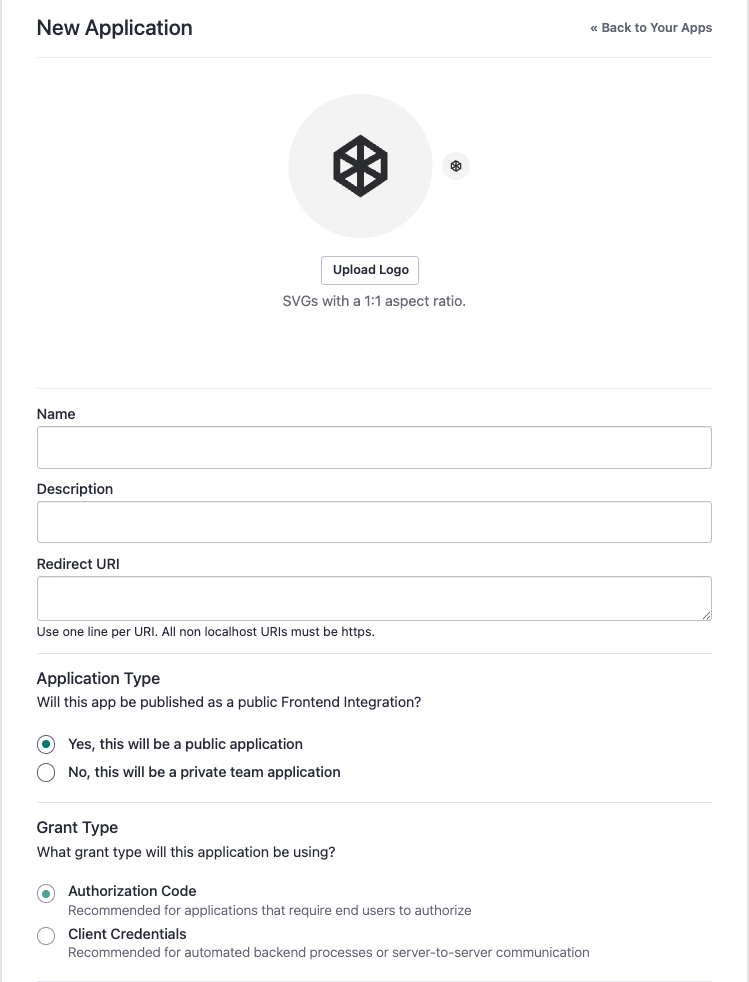
Navigate to Your Applications and select OAuth Applications.
Click Create New to start a new application.
Enter your application details as prompted.
Enter the callback URI: https://www.integromat.com/oauth/cb/salesloft.
Select the at the Application Type.
Click Submit to create the application.
Copy the Client ID displayed on screen.
Copy the Client secret displayed on screen.
Create the connection in Make
Log in in your Make account, add the Salesloft module to your scenario, and click Create a connection.
If you add a module with an instant tag, click Create a webhook, then Create a connection.
Optional: In the Connection name field, enter a name for the connection.
Click Show advanced settings and enter your custom application's Client ID and Client Secret values.
For detailed information on connecting an application, see Connect an applicationConnect an application. page.
Salesloft modules
After connecting to the Salesloft app, you can choose from a list of available modules to build your scenarios.
Salesloft resources
You can have access to more resources related to this app on the following links