QuickBooks
With the QuickBooks app in Make, you can manage the invoices, bills, sales receipts, estimates, journal entries, payments, deposits, credit memos, customers, purchase orders, items, vendors, files, accounts, purchases, time activities, refund receipts, and events in your QuickBooks account.
Requirements
To use the QuickBooks app in Make, you must have a QuickBooks account.
Connect QuickBooks and Make
To create the connection:
Log in to your Make account, add a QuickBooks module to your scenario, and click Create a connection.
Optional: In the Connection name field, enter a name for the connection.
Optional: Switch on Show advanced settings and enter your QuickBooks client credentials. For information on how to obtain your credentials, refer to the Create custom app and client credentials in QuickBooks section below.
Click Save.
If prompted, authenticate your account and confirm access.
You've successfully çreated the connection and can now ose the QuickBooks app in your scenarios. If you want to make changed to your connection in the futuer, follow the steps here.
Templates
You can look for QuickBooks templates in Make's template gallery, where you'll find thousands of pre-created scenarios.
QuickBooks resources
New invoice number
There are 2 options to generate an invoice number:
1. Set variable or value in the Doc number field in the QuickBooks module interface:
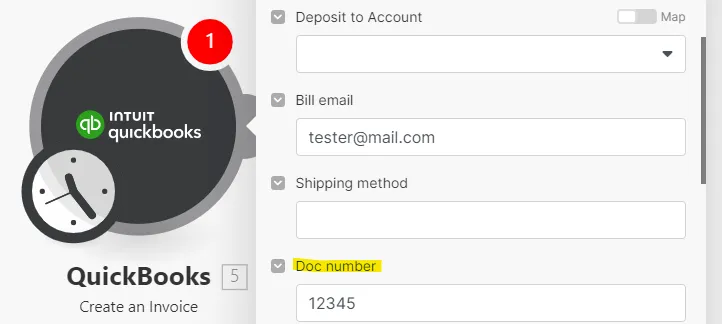
2. Automatically generate the invoice number as the number following the last created invoice in QuickBooks. To activate this option, you will need to disable the feature that allows you to edit invoice numbers under your QuickBooks settings. For this:
- Click the gear icon.
- Select Account and Settings.
- Click Sales.
- Under Sales form content, uncheck the checkbox next to Custom transaction numbers.
- Click Save.
- Click Done.
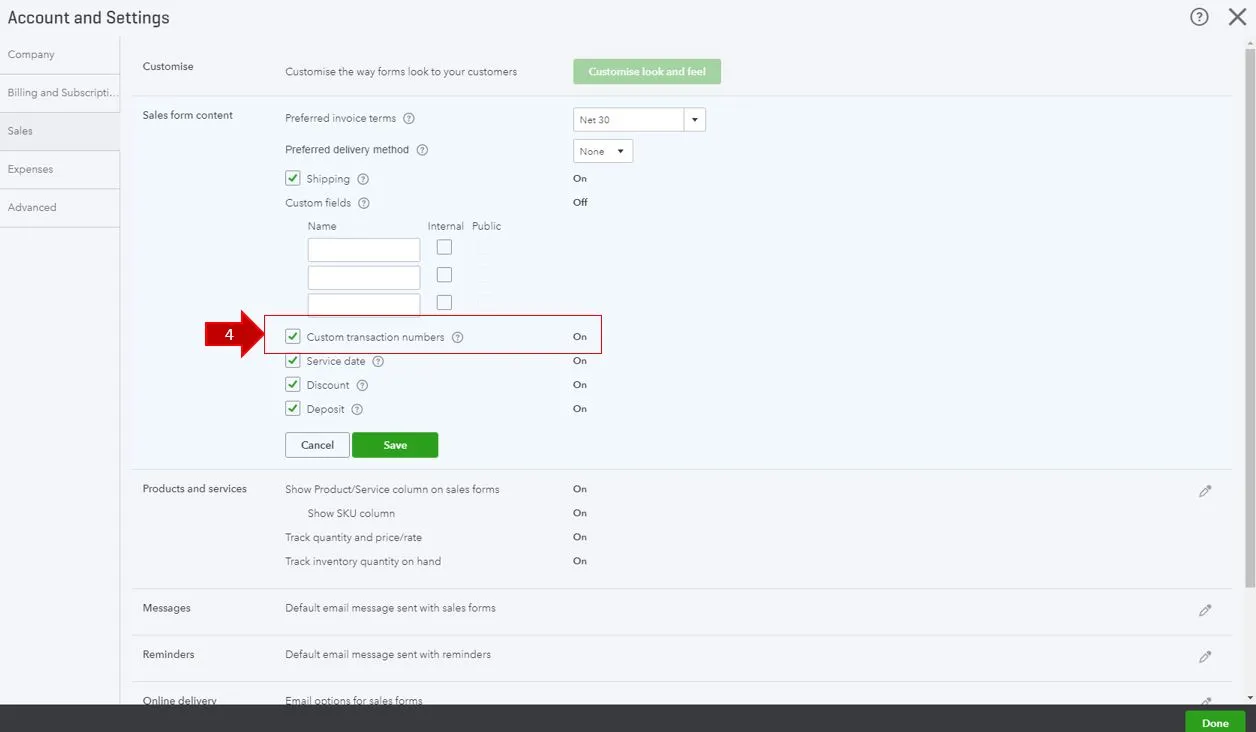
After this is set, the invoice number will be generated automatically in QuickBooks and you will no longer be able to customize your invoice numbers.
By default, it is set to on. So, an invoice generated without a doc number comes WITHOUT a number (the invoice number field is left empty).