People HR
2 min
The People HR modules enable you to monitor events in your People HR account.
Getting Started with People HR
Prerequisites
- A People HR account
- API license activated in your People HR account
In order to use People HR with Make, it is necessary to have a People HR account. If you do not have one, you can create a People HR free trial account at www.peoplehr.com/trial.
Connecting People HR to Make
To connect your People HR account to Make you need to generate an API Key in your People HR account.
- Log in to your People HR account.
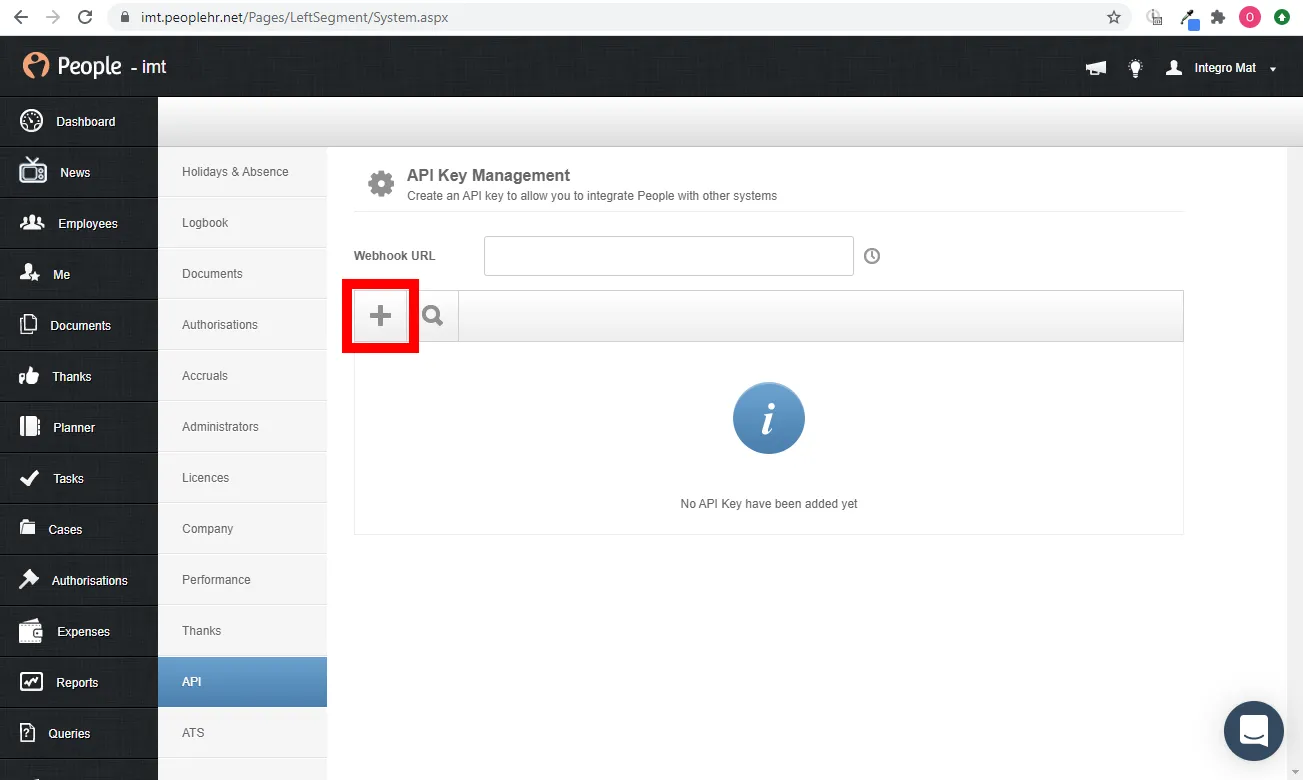
Go to Settings > API.

Click the PLUS (+) button to generate a new API Key.
Enter the name for the API Key and select applications you want to access using the API Key, then click Save.
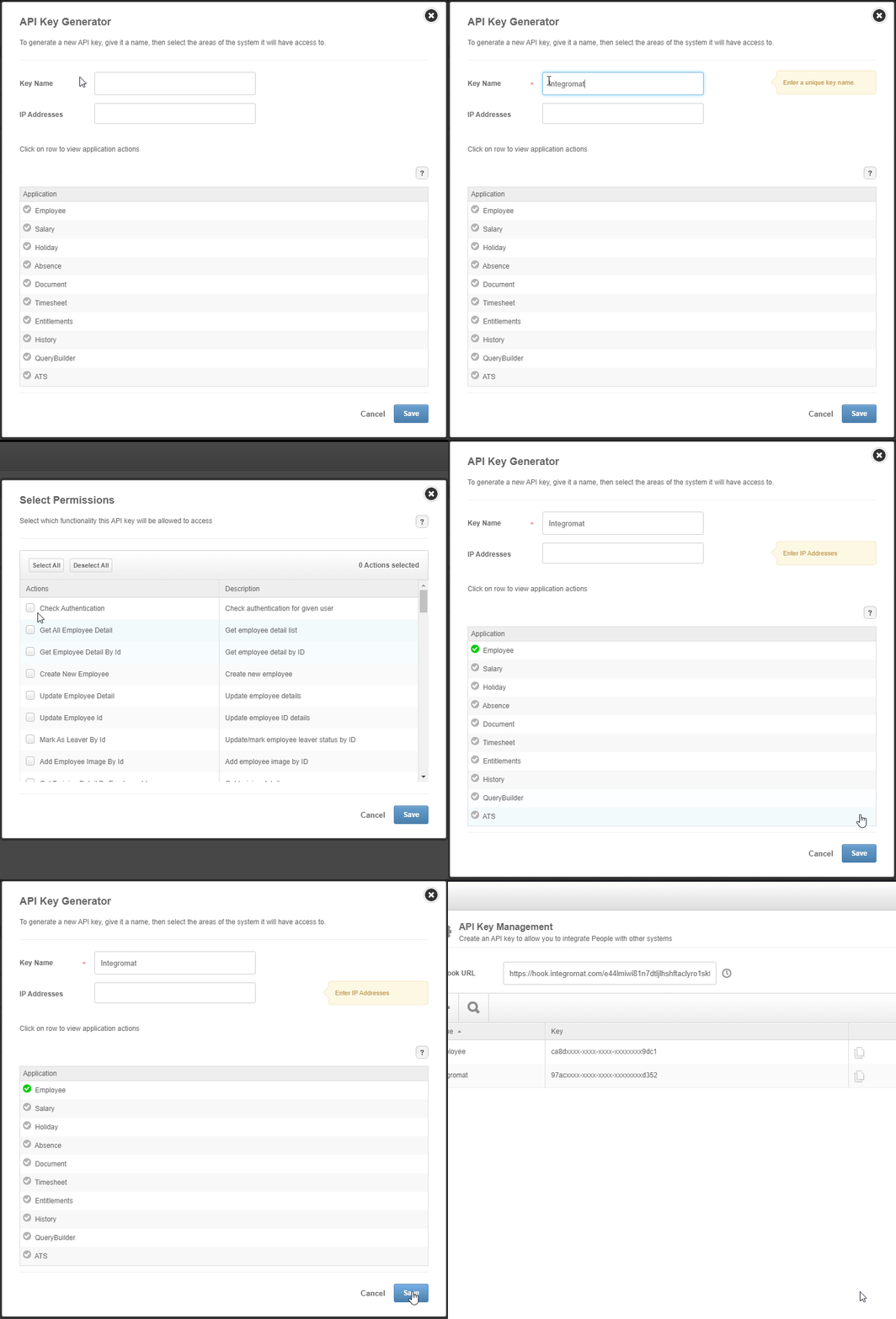
- Click the copy icon to copy the generated API key.
- Go to Make and open the People HR module's Create a connection dialog.
- Enter the API Key you have copied in step 5 to the respective field, enter your People HR login credentials, and click the Continue button to establish the connection.
The connection has been established. You can proceed with setting up the module.