AWS S3
 | Amazon S3 is a scalable object storage service for data backup, archiving, and analytics. Integrating Amazon S3 with Make.com lets users automate file uploads, downloads, and data management between S3 buckets and other apps or services. |
|---|
Requirements
To use the AWS S3 app in Make, you must have an active AWS account with valid credentials and the necessary permissions, create your account on AWS S3. For subscription, refer to the AWS S3 pricing page. The Make AWS S3 modules let you perform operations on your S3 buckets. You'll need an AWS S3 account for this feature.
Connect AWS S3 and Make
To get started, you must first create a connection between AWS S3 and Make, allowing the two services to communicate.
Obtain your API Key in your AWS S3 account
To connect AWS S3 to Make you must connect your AWS account to Make. To do so, you'll first need to create an API user in AWS IAM.
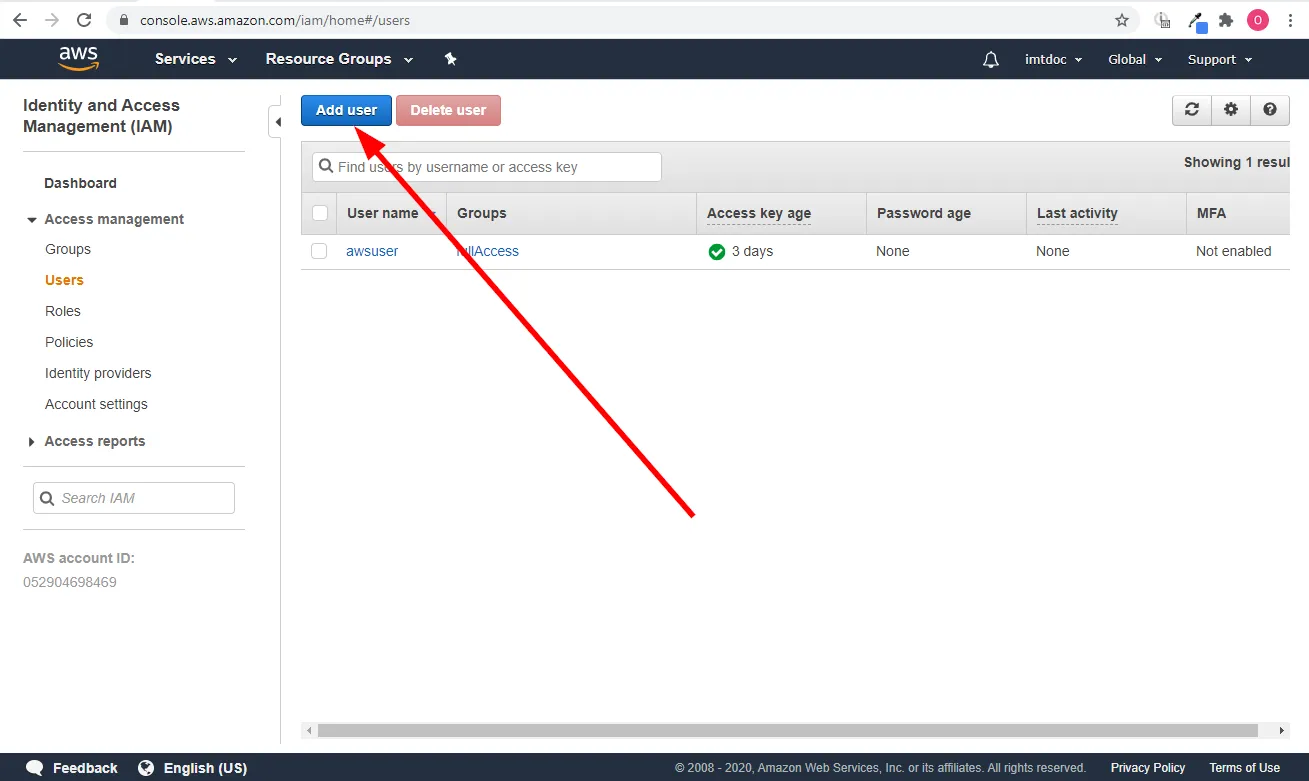
Go to Identity and Access Management > Access Management > Users.
Click the Add User button to add a new user.
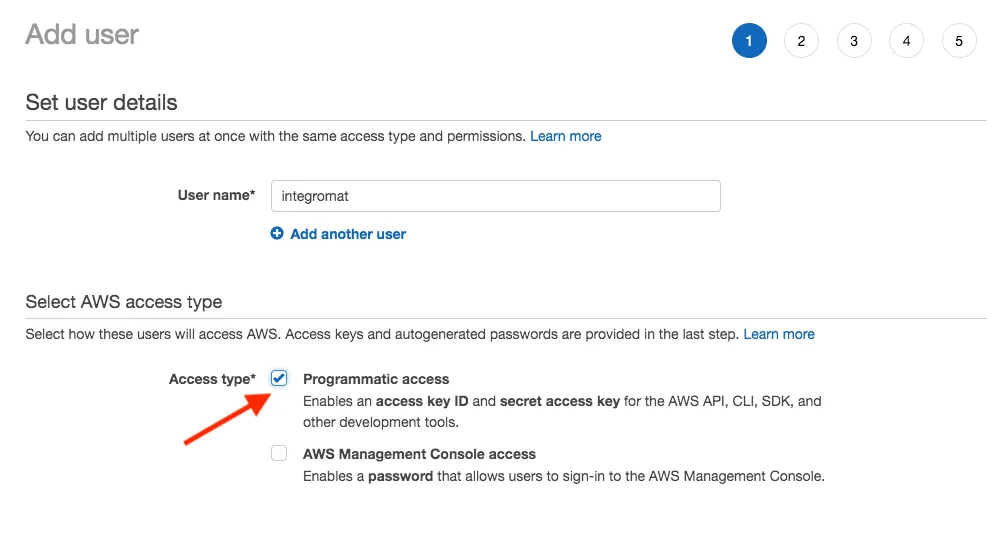
Enter the name of the new user and select the Programmatic access option in the Access type section.
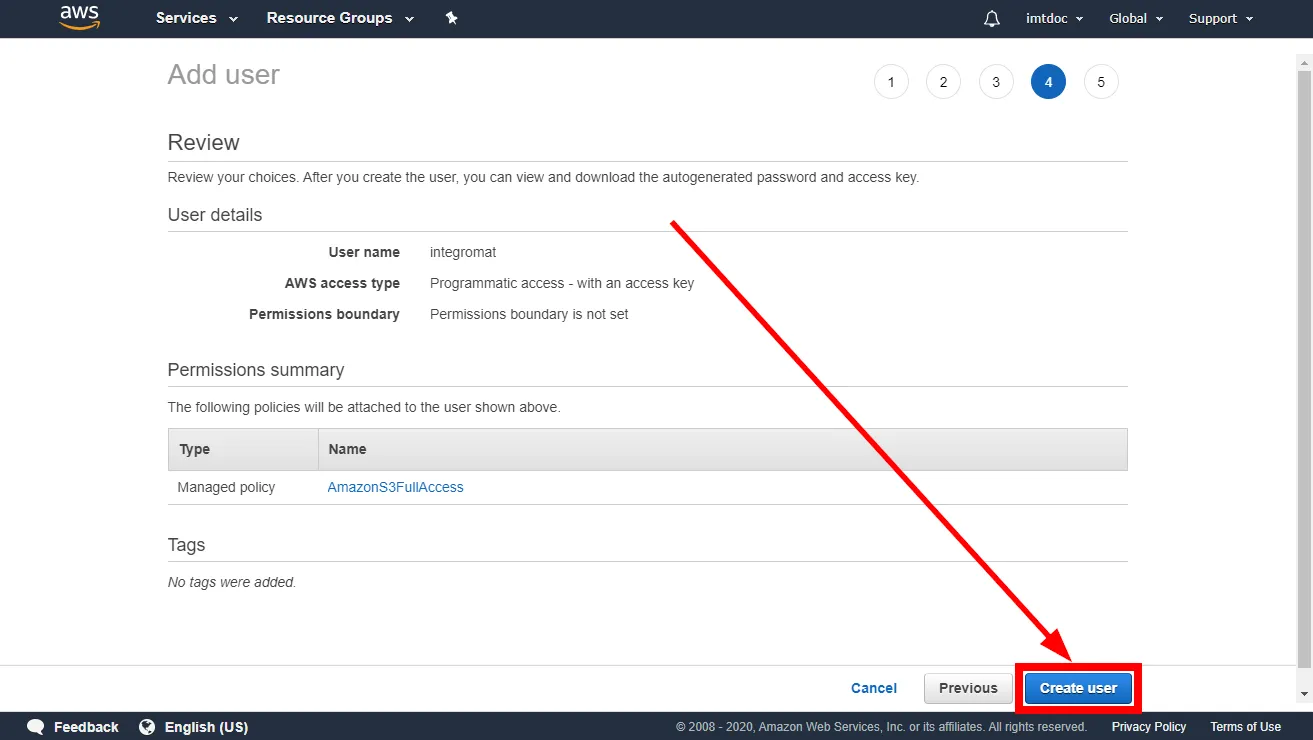
Add the AmazonS3FullAccess permission policy to the user using Attach existing policies directly and click Next.

Go through the other dialog screens and click the Create User button.
Find the provided Access key ID and Secret access key.
Copy the API key and the API secret key displayed on screen.
You will use this value while creating a connection in Make.
Because the UI might have changed, the steps you see on your screen might be different, check the vendor documentation for updates.
Create the connection in Make
Log in in your Make account, add the AWS S3 module to your scenario, and click Create a connection.
If you add a module with an instant tag, click Create a webhook, then Create a connection.
Optional: In the Connection name field, enter a name for the connection.
Enter the authentication credentials you copied from your AWS S3 account or follow the on-screen instructions to create the connection.
For detailed information on connecting an application, see Connect an applicationConnect an application. page.
AWS S3 modules
After connecting to the AWS S3 app, you can choose from a list of available modules to build your scenarios.
Actions
Create Bucket
Field | Description |
|---|---|
Connection | Establish a connection to your AWS S3 account. |
Name | Enter the name of the new bucket. |
Region | Select your regional endpoint. |
Get File
Downloads a file from a bucket.
Field | Description |
|---|---|
Connection | Establish a connection to your AWS S3 account. |
Region | Select the regional endpoint. |
Bucket | Select the bucket you want to download the file from. |
Path | Enter the path to the file, e.g. /photos/2019/February/image023.jpg. |
Upload File
Field | Description |
|---|---|
Connection | Establish a connection to your AWS S3 account. |
Region | Select your regional endpoint. |
Folder(optional) | Specify the target folder, e.g. work/Make. |
Source file | Provide the source file you want to upload to the bucket. |
Headers(optional) | Insert request headers. Available headers can be found in the AWS S3 documentation - PUT object. |
Make an API Call
For a detailed API description please refer to the Amazon S3 API Reference.
Field | Description |
|---|---|
Connection | Establish a connection to your AWS S3 account. |
Region | Select your regional endpoint. |
URL | Enter a host URL. The path must be relative to https://s3.<selected-region>.amazonaws.com/. |
Method | Select one of the HTTP methods you want to use in your API call. |
Headers | Add a request header. You can use the following common request headers. For more request headers refer to AWS S3 API Documentation. You don't have to add authorization headers; Make already did that for you.
|
Query strings | Add the desired query strings such as parameters or form fields. |
Body | Enter the API call body content. |
Searches
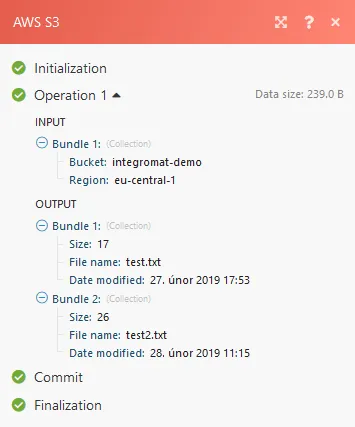
List Files
Returns a list of files from a specified location.
Field | Description |
|---|---|
Connection | Establish a connection to your AWS S3 account. |
Region | Select your regional endpoint. |
Bucket | Select the Amazon S3 bucket you want to search for files. |
Prefix(optional) | Path to a folder to lookup files in, e.g. Make/work. |
List Folders
Returns a list of folders from a specified location.
Field | Description |
|---|---|
Connection | Establish a connection to your AWS S3 account. |
Region | Select your regional endpoint. |
Bucket | Select the Amazon S3 bucket you want to search for folders. |
Prefix(optional) | Path to a folder to lookup folders in, e.g. Make/work. |