Amazing Marvin
The Amazing Marvin modules allow you to create, update, search, retrieve, and delete tasks from your Amazing Marvin account.
Getting Started with Amazing Marvin
Prerequisites
Connecting Amazing Marvin to Make
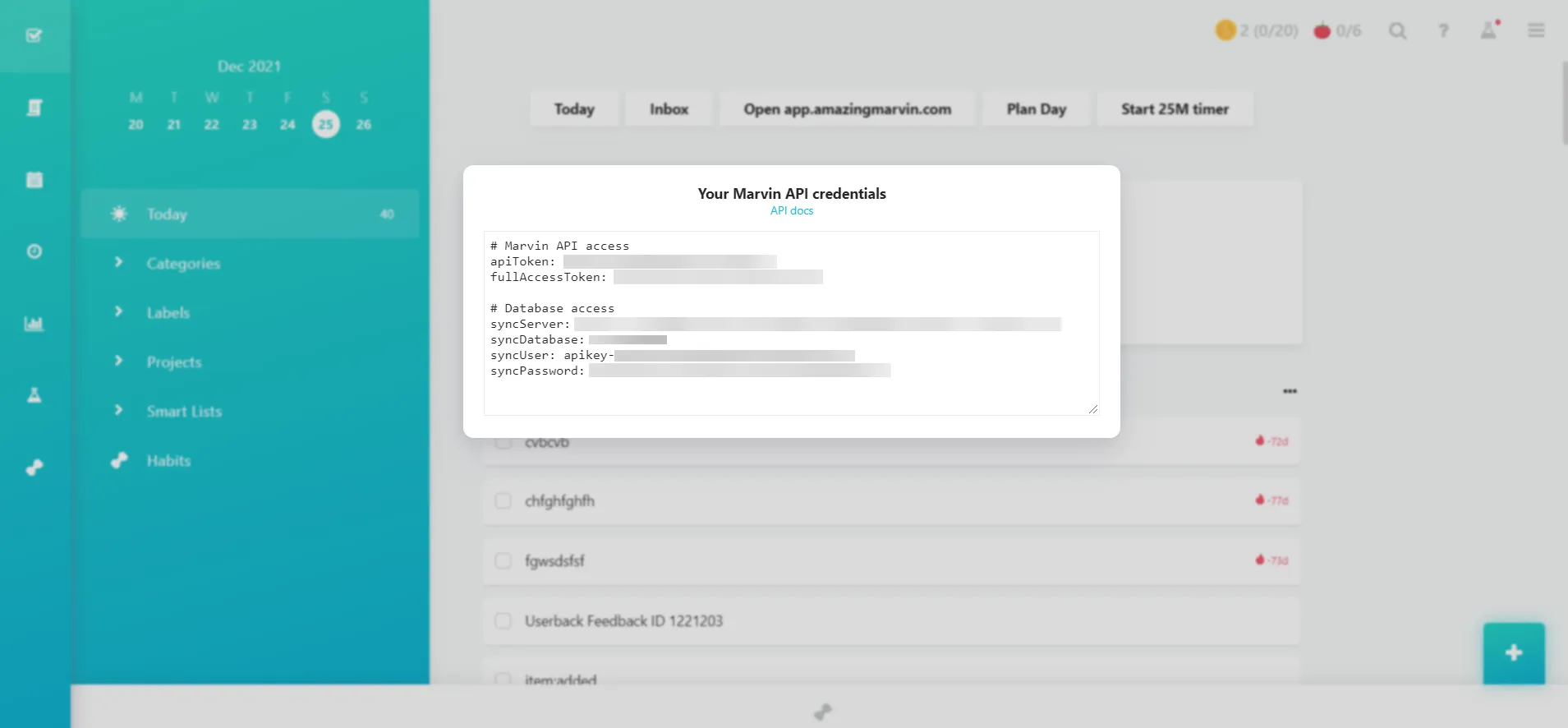
To connect your Amazing Marvin account to Make you need to obtain the API Key from your Amazing Marvin account and insert it in the Create a connection dialog in the Make module.
- Log in to your Amazing Marvin account.
Copy the API Key to your clipboard.
- Log in to your Make account, and add a module from the Amazing Marvin app into scenario.
Click Add next to the Connection field.

- In the Connection name field, enter a name for the connection.
- In the API Key field, enter the details copied in step 3 and click Continue.
The connection has been established.
Connecting Amazing Marvin database to Make
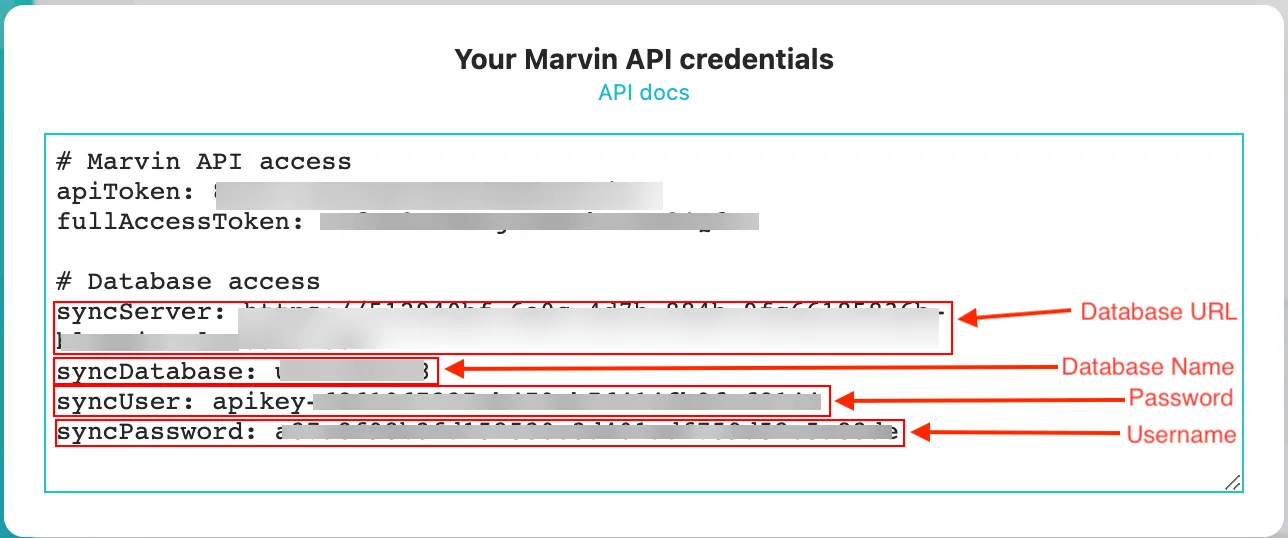
The Update a Task, Search Tasks, Delete a Task, Get a Task, and Make an API Call modules require a database connection with Amazing Marvin. You need to obtain API credentials from Amazing Marvin.
- Log in to your Amazing Marvin account.
Copy the syncUser, syncPassword, syncServer, and syncDatabase fields. Keep this open in a separate tab or browser for easier copy-pasting.
- Log in to your Make account, and add a module from the Amazing Marvin app into a scenario.
- In the Connection name field, enter a name for the connection.
In the Username field, enter the syncUser key.
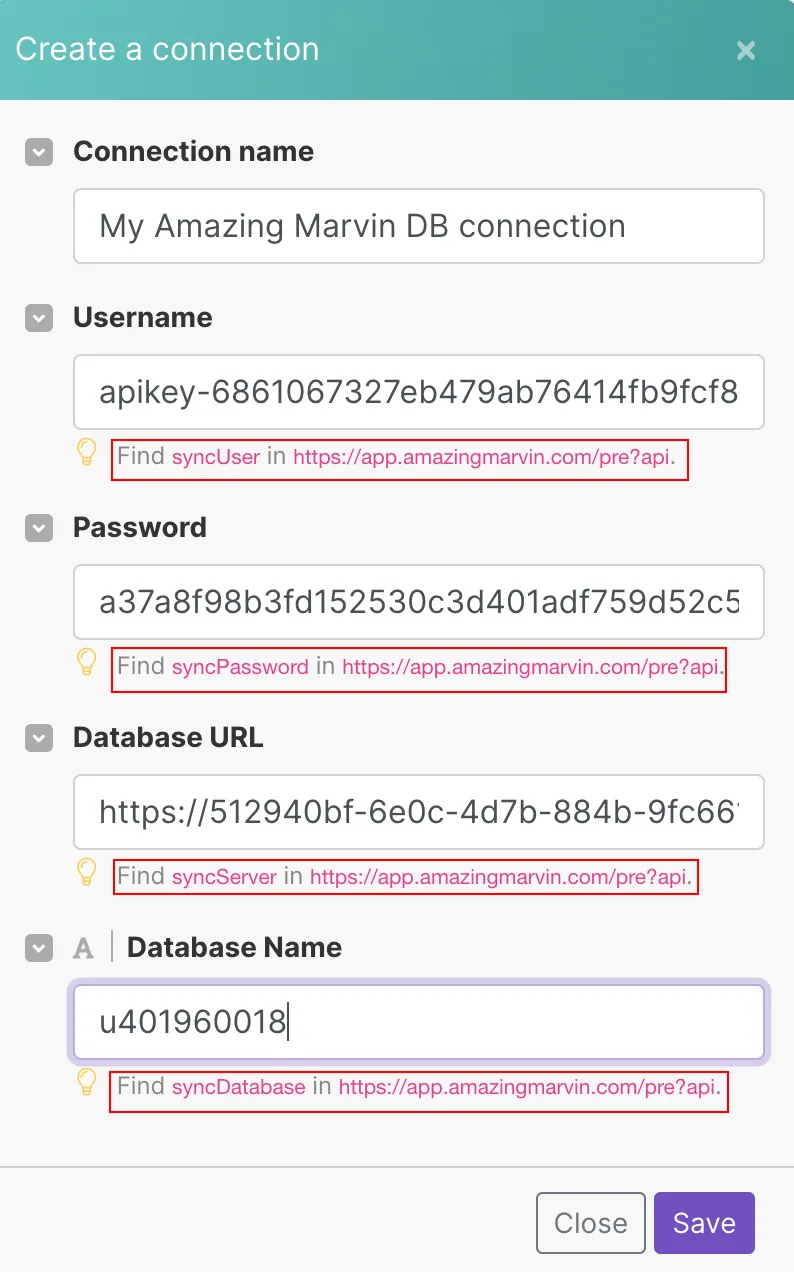
- In the Password field, enter the syncPassword key.
- In the Database URL field, enter the syncServer key.
- In the Database Name field, enter the syncDatabase key.